20
3.3 Connection of wireless unit
MAJ-2301 INSTRUCTION MANUAL
Ch.3
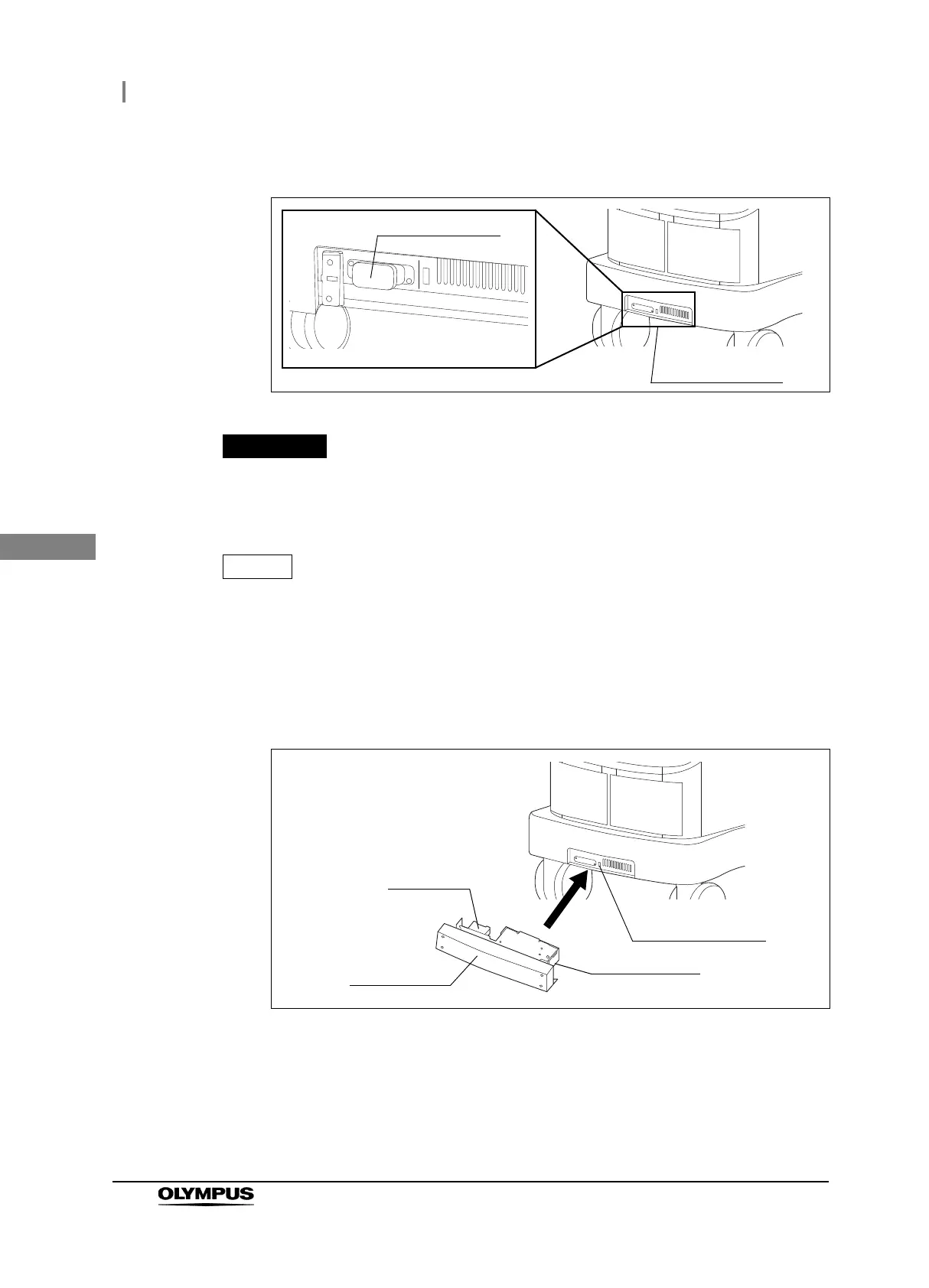
3 Remove the connector cover on the inside of the wireless unit attaching section.
Figure 3.3
Be sure to remove the connector cover before installing the wireless unit.
Otherwise, equipment failure may result.
Store the removed connector cover and cover so as not to lose them. They will be
used when detaching the wireless unit for servicing, etc.
4 Holding the wireless unit so that the connection terminal is pointed toward the surgical
microscope and so that the product plate underneath, insert it all the way into the
wireless unit attaching section of the surgical microscope.
Figure 3.4
Wireless unit
attaching section
Connector cover
Product plate
Connection
terminal
Wireless unit
Wireless unit
attaching section



 To Next Page