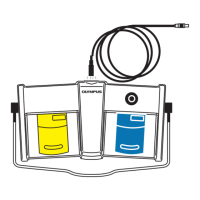
3.7 Assign the functions of the switches
33
MAJ-2301 INSTRUCTION MANUAL
Ch.3
• Set the foot switch setting to “ON” according to instruction manual of surgical
microscope. If you do not set the setting to “ON”, foot switch setting and surgical
microscope operation cannot be performed.
• The default settings of Foot switches 1 to 6 of the foot switch are “Not configured”,
which means that the surgical microscope cannot be controlled unless functions
are assigned to the switches. Be sure to assign functions to the switches by
referring to the instruction manual for the surgical microscope.
3.7 Assign the functions of the switches
By referring to the instruction manual for the
surgical microscope, set the functions to be
assigned to the switches of the foot switch by
using the touch panel of the surgical
microscope.
Figure 3.22



 To Next Page