Instrument Nomenclature and Functions
1
1.4 Ancillary Equipment
13
1.4 Ancillary Equipment
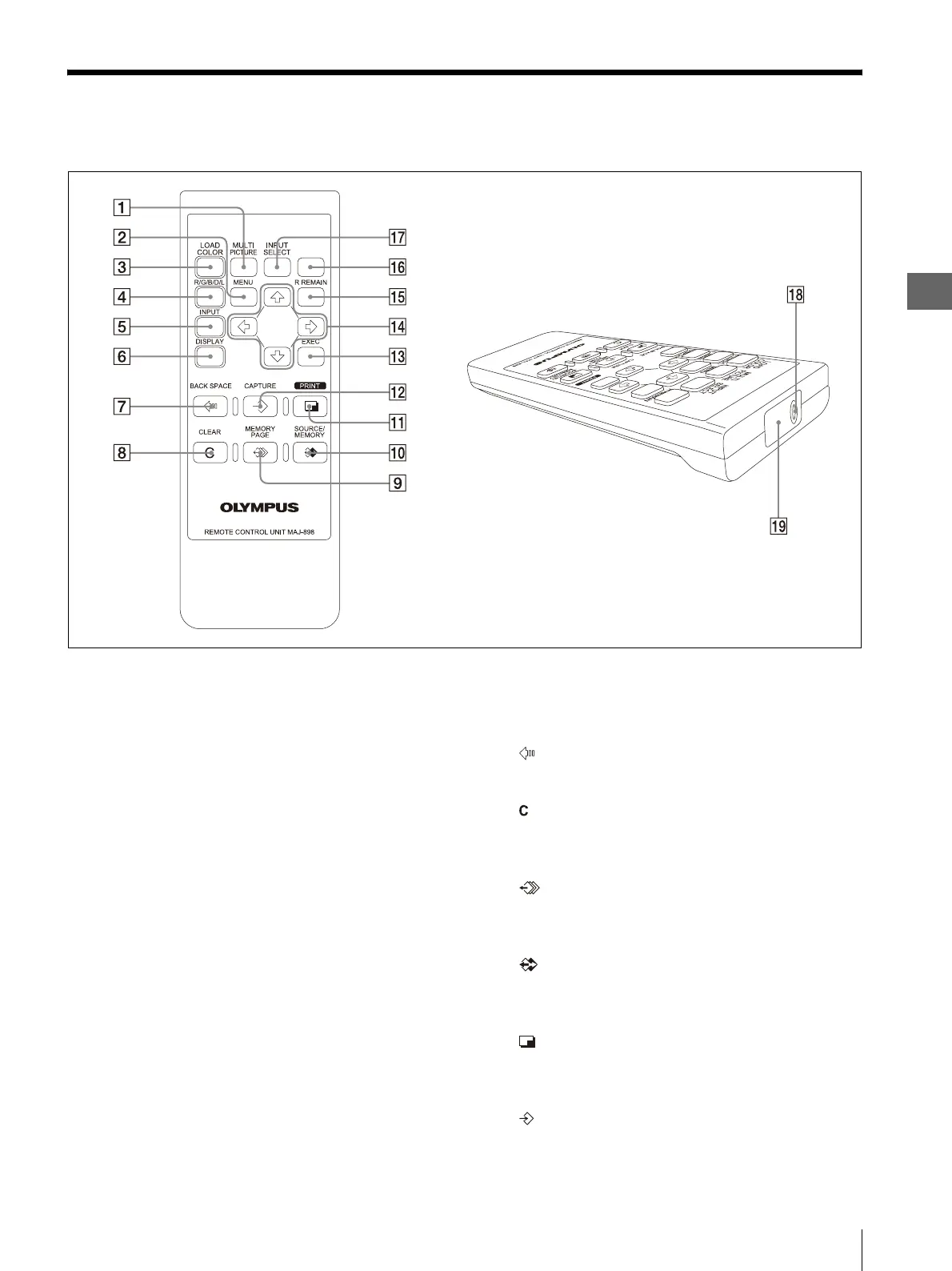
Remote control unit (MAJ-898)
A MULTI PICTURE key
Same function as the MULTI PICTURE button on
the front panel.
B MENU key
Same function as the MENU button on the front
panel.
C LOAD COLOR key
Press during normal display to open the LOAD
COLOR menu from the normal display directly.
Each further press of the key switches the menu
key.
D R/G/B/D/L key
Press during normal display to open the COLOR
ADJUST menu.
While the COLOR ADJUST menu is being
displayed, press the key to return to the normal
display.
E INPUT key
Press during normal display to open the INPUT
SETUP menu.
While the INPUT SETUP menu is being displayed,
press the key to return to the normal display.
F DISPLAY key
Same function as the DISPLAY button on the front
panel.
G BACK SPACE key
Press to move the pointer backward.
H CLEAR key
Same function as the CLEAR button on the front
panel.
I MEMORY PAGE key
Same function as the MEMORY PAGE button on
the front panel.
J SOURCE/MEMORY key
Same function as the SOURCE/MEMORY button
on the front panel.
K PRINT key
Same function as the PRINT button on the front
panel.
L CAPTURE key
Same function as the CAPTURE button on the front
panel.



 To Next Page