Operation
4
4.2 Control From the Front Panel
31
NOTE
The print quantity can also be controlled in a menu. The
setup made using the above procedure is also applied to
the setup using the menu. For details on menus, see
“Setting “PRINT QTY”” on page 47.
Setting the Multi-Picture Printing
The number of multi-picture images printed per print
sheet can be set up.
1
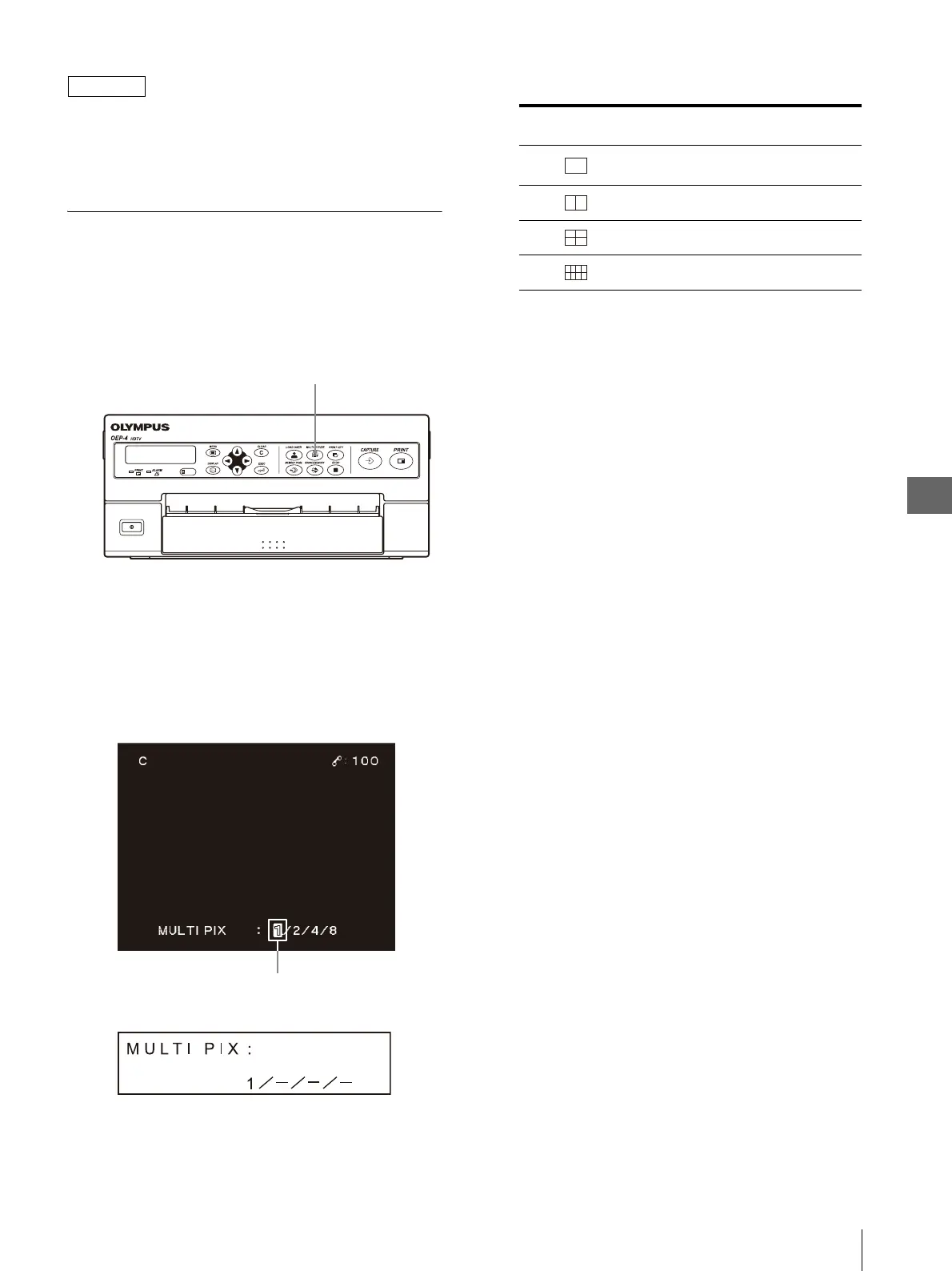
Press the MULTI PICTURE button on the front
panel (see Figure 4.6).
Figure 4.6
The monitor and LCD panel show the current setup
for a few seconds. On the monitor, the number of
multi-pictures currently selected is displayed in
green (see Figure 4.7).
Figure 4.7
2
While the monitor or LCD panel is as shown in
Figure 4.7, press the MULTI PICTURE button,
“b” or “B” until the desired number of multi-
picture is displayed.
Each press of the MULTI PICTURE button or “B”
changes the number of multi-picture by one as “1”
“2” “4” “8” “1” ….
Each press of “b” changes the number of multi-
picture by one as “1” “8” “4” “2” “1” ….
MULTI PICTURE button
Monitor
Number of multi-picture display
LCD panel
Ta b l e 4 . 2
Monitor Screen
Display
LCD Panel
Display
Number of Multi-
Picture Images
1
Single picture without
screen splitting
22
33
44



 To Next Page