Operation
4
4.3 Control From the Remote Control Unit (MAJ-898)
36
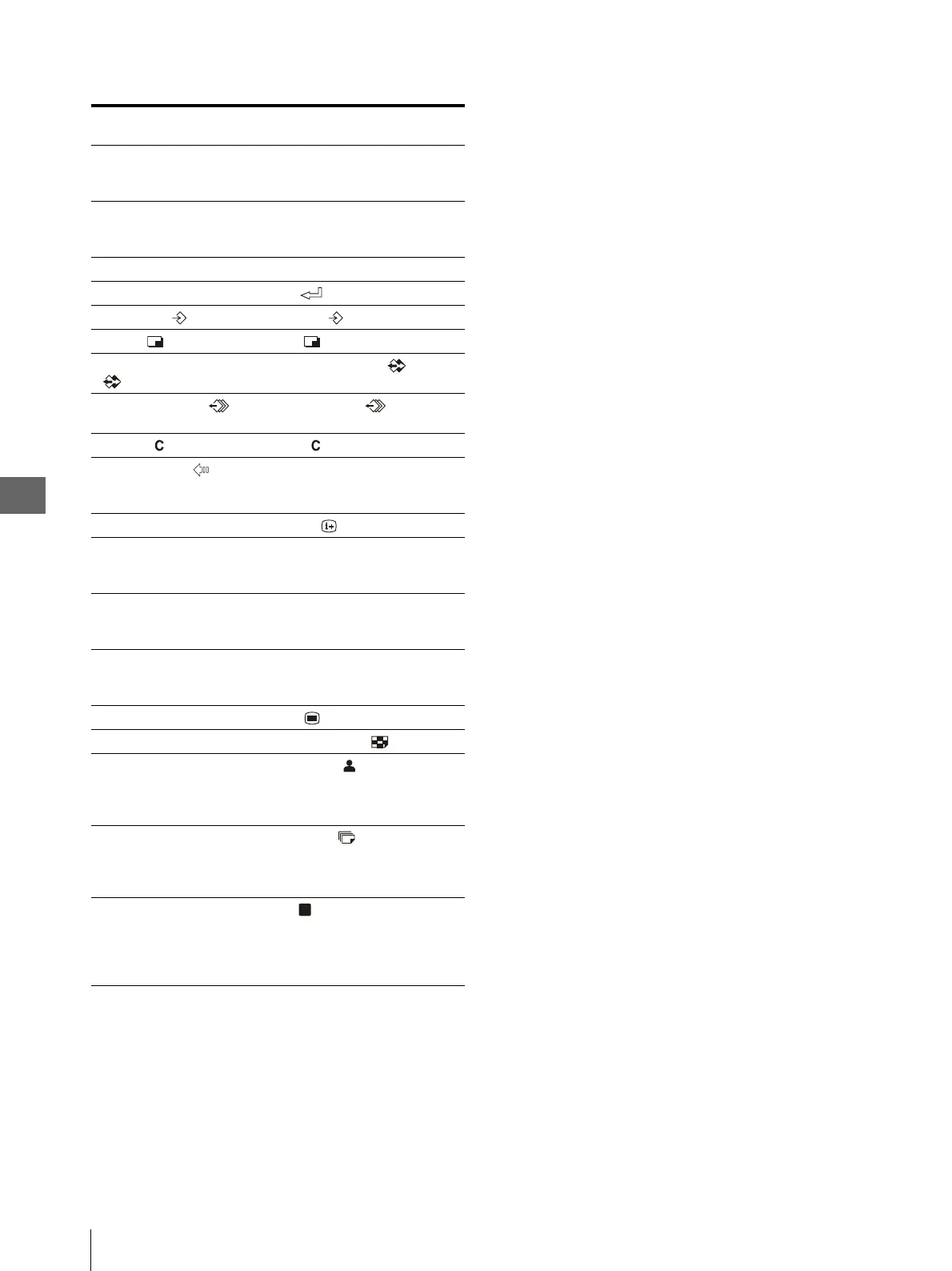
Table 4.4
Remote control unit
(MAJ-898) keys
Front panel switches
INPUT SELECT key No corresponding switch. This
function should be selected from a
menu.
R.REMAIN key No corresponding switch. This
function should be selected from a
menu.
Arrow (F, f, G, g) keys Cursor (v , V , b , B) keys
EXEC key EXEC ( ) button
CAPTURE ( ) key CAPTURE ( ) button
PRINT () key PRINT () button
SOURCE/MEMORY
() key
SOURCE/MEMORY ( ) button
MEMORY PAGE ( )
key
MEMORY PAGE ( ) button
CLEAR ( ) key CLEAR ( ) button
BACK SPACE ( ) key No corresponding switch. This
function should be controlled using
the cursor key and CLEAR button.
DISPLAY key DISPLAY ( ) button
INPUT key No corresponding switch. This
function should be selected from a
menu.
R/G/B/D/L keys No corresponding switch. This
function should be selected from a
menu.
LOAD COLOR key No corresponding switch. This
function should be selected from a
menu.
MENU key MENU ( ) button
MULTI PICTURE key MULTI PICTURE ( ) button
No corresponding
switch. This function
should be selected from a
menu.
LOAD USER ( ) button
No corresponding
switch. This function
should be selected from a
menu.
PRINT QTY ( ) button
No corresponding
switch. This function
should always be
controlled from the front
panel.
STOP ( ) button



 To Next Page