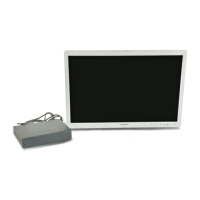
OEV262H
1. Features
1.1 Features
13
Functions
Scan size switching function
You can set the desired scan size suited for aspect ratio
and resolution of the input signal to watch in full screen
during intraoperative monitoring.
Even when the optimal setting value is different,
depending on the modality, the monitor can select the
optimal scan size according to the input.
Select color temperature and gamma mode
You can select from two color temperature settings
(“D65,” “D93”), or seven gamma settings
(“Endoscope,” “1.8,” “2.0,” “2.2,” “2.4,” “2.6,”
“DICOM”), depending on your preferences and usage.
You can also adjust the color temperature in R/G/B.
Backlight brightness adjustment
You can select a suitable brightness setting for each
room, since lighting conditions differ, depending on the
facility or usage.
PIP/POP display
You can previously assign pictures for multi-image
display to the input connectors. By pressing the PIP/
POP button, you can easily display the pictures that are
input from the assigned input connectors in a multi-
image display.
Invert view function
The monitor has the mirror image reversal and 180
degrees rotation function that allows you to match the
vertical direction between surgeon perspective and
endoscope.
Power saving function
You can reduce the power consumption by lowering the
backlight brightness (such as when using the monitor in
a dark room).
A.I.M.E. function
This function enables sharper images by adjusting color
and contrast. You can select the mode best suited for the
resolution of the equipment used.
Sleep function
The monitor enters into power saving mode when the
specified conditions are met, and the monitor returns to
the normal status when a signal is input. This reduces
power consumption.
Select language display
You can select the display language from English,
French, German, Spanish, Italian, and Japanese.
Control Lock function
You can use the Control Lock function to prevent
malfunction.
User memory function
You can save up to 20 settings for a picture and label
those settings with a name.
External remote function
The input signal is selected or various items are adjusted
by using GPIO. You can connect this unit to the monitor
by the serial remote connection (RS-232C) and control
it remotely.
Control panel
Functions that are operated frequently can be assigned to
buttons on the front panel of the monitor. The monitor
has usable interface for operation by the navigation by
the emitting color and status of the button.
* A.I.M.E. is a registered trademark of Sony
Corporation.


 To Next Page