OEV262H
5. Setting
5.2 Using the Menu
26
7
Press the b/B button to select a language.
The menu changes to the selected language.
To clear the menu
Press the MENU button.
The menu disappears automatically if a button is not
pressed for one minute.
5.2 Using the Menu
The unit is equipped with an on-screen menu for making
various adjustments and settings such as picture control,
input setting, setting change, etc. You can also change
the menu language displayed in the on-screen menu.
To change the menu language, refer to “5.1 Selecting the
Menu Language” on page 25.
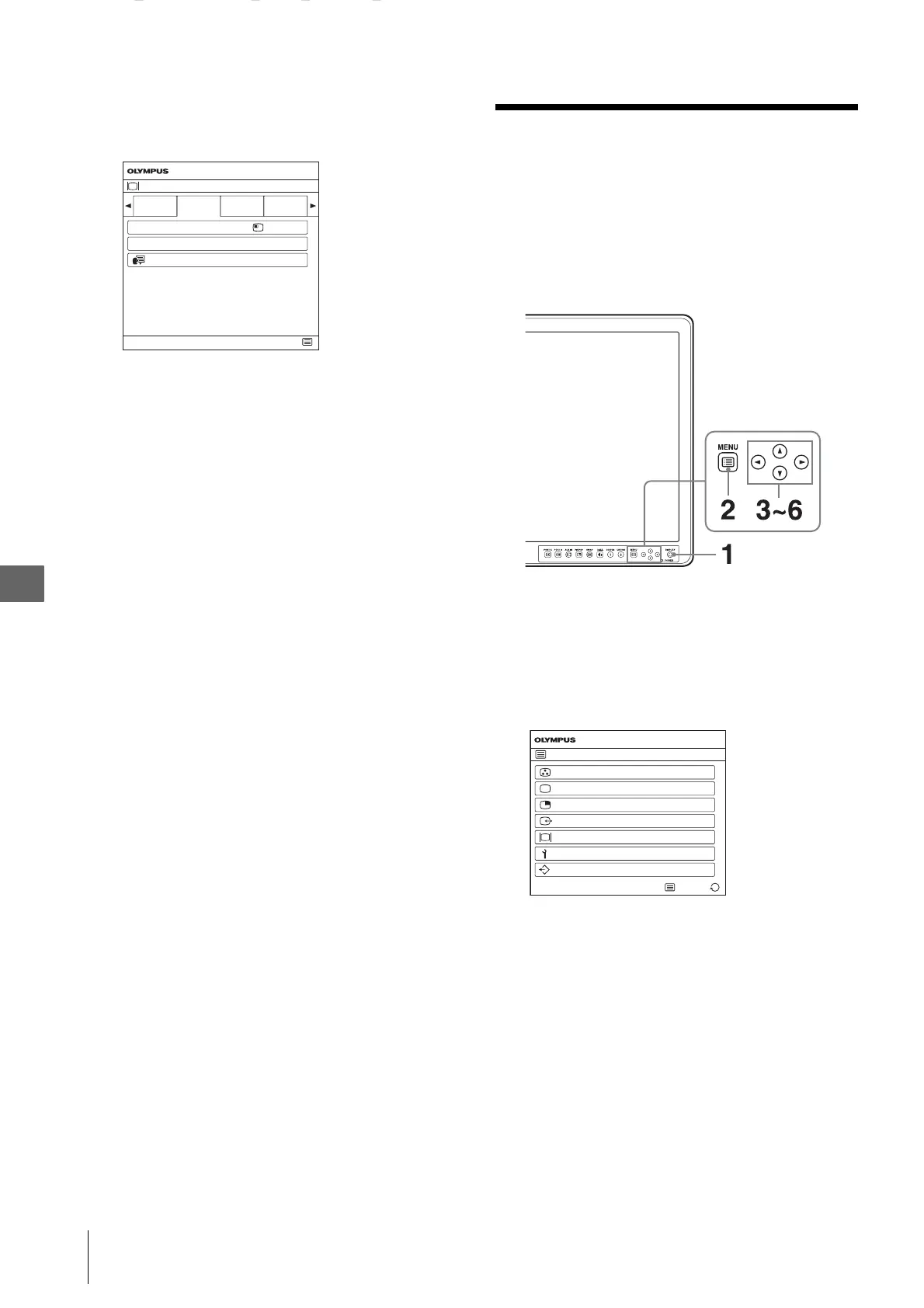
1
Press the DISPLAY button.
The operation buttons are displayed.
2
Press the MENU button.
The menu-selecting screen appears.
The menu presently selected is shown in blue.
System Configuration
Control
Lock
OSD Setting Power Save
End
Menu Position
Power On
Setting
OEV262H
Status Display
EnglishLanguage
Auto
MENU
Color Tone Adjustment
OEV262H
End
Screen Control
PIP/POP
Input/Output Configuration
System Configuration
Initial Setup
Preset
Select


 To Next Page