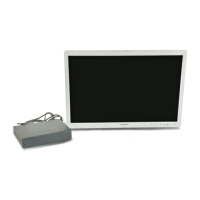
OEV262H
Important Information — Please Read Before Use
Important Information — Please Read Before Use
8
electrosurgical equipment is used without such
confirmation, patient injury may result.
• It is recommended that only Olympus high-frequency
electrosurgical equipment will be used with this unit.
Non-Olympus equipment can cause interference on
the monitor display or a loss of the endoscopic image.
• Always establish the system with equipment that
complies with relevant EMC standards for safety
reasons. Equipment that does not comply with EMC
standards may cause interference and its function or
performance may be affected.
• Electromagnetic interference may occur to this
monitor when it is placed near equipment marked with
the following symbol or other portable and mobile
communications equipment such as cellular phones. If
radio interference occurs, mitigation measures may be
necessary, such as reorienting or relocating this
monitor or shielding the location.
• Be sure that this monitor is not used adjacent to or
stacked with other equipment (other than the
components of this monitor or system) to avoid
electromagnetic interference.
• Do not use this monitor in any place where it may be
subject to strong electromagnetic radiation (for
example, in the vicinity of a microwave therapeutic
equipment, MRI, wireless set, short-wave therapeutic
equipment, cellular/portable phone, etc.). This may
impair the performance of this monitor.
• To reduce the risk of fire or electric shock, do not
expose this apparatus to rain or moisture.
• To reduce the risk of fire or electric shock, keep this
monitor away from all liquids. Use and store only in
locations which are not exposed to the risk of dripping
or splashing liquids, and do not place any liquid
containers on top of this monitor.
• Be sure to use option AC adapter listed in this
instruction manual. Do not use option AC adapter to
other devices. This monitor or option AC adapter will
cause failure.
• In case of this monitor’s failure or malfunction,
always keep another monitor in the room ready for
use.
• Strictly observe the following precautions for the
power cord. Damaging the power cord may result in
fire or an electric shock:
– When placing the power cord, take care that it is not
crushed in the space between this monitor and a
wall, mobile workstation or a shelf.
– Do not modify or damage the power cord.
– Do not stretch or place a heavy object on the power
cord.
– Do not place the power cord near heating equipment
or expose it to excessive heat.
– Always grasp and pull the plug when unplugging
the power cord. Do not pull on the cord itself.
• Do not use this monitor beyond the rated outlets and
wiring, otherwise it may result in fire or an electrical
shock.
• Always use the power cord that was shipped with the
monitor or mobile workstation. Using other power
cords may result in an electric shock or malfunction.
• Confirm that the wall mains outlet or the mobile
workstation has adequate electrical capacity. Failure
to do so may cause fire or power fluctuation.
• Do not move the monitor while the power cord and
connection cables are connected. Otherwise, damage
to the monitor, power cord and connection cables, fire
or an electric shock may result.
• This monitor must be grounded.
• Use only a grounded wall mains outlet when
connecting the monitor. Failure to do so may cause an
electric shock or fire.
• Use of a power supply with insufficient electrical
capacities may cause malfunction of this monitor.
• Always power the monitor with the voltage specified
in this instruction manual. Supplying a nonspecified
voltage to the monitor may result in fire or an electric
shock.
• Be sure to connect the power plug securely.
Otherwise, this monitor will not function.
• To completely disconnect this monitor from the power
AC mains, disconnect the power cord plug from the
AC receptacle.
• The mains plug of the power supply cord shall remain
readily operable. The AC receptacle (mains socket
outlet) shall be installed near the equipment and shall
be easily accessible.
• To avoid electrical shock, do not open the cabinet.
Refer servicing to qualified personnel only.
• No modification of this apparatus is allowed.
• To disconnect the main power, unplug the AC plug.
• Do not install the appliance in a confined space, such
as book case or built-in cabinet.
• Make sure the surface is wide enough so that this
apparatus’s width and depth don’t exceed the surface’s
edges. If not, this apparatus may lean or fall over and
cause an injury.
• When installing the unit, incorporate a readily
accessible disconnect device in the fixed wiring, or
connect the power plug to an easily accessible socket
outlet near the unit. If a fault should occur during
operation of the unit, operate the disconnect device to
switch the power supply off, or disconnect the power
plug.
• Do not modify this equipment without authorization
of the MANUFACTURER.
• If this equipment is modified, appropriate inspection
and testing must be conducted to ensure continued
safe use of the equipment.
• To avoid risk of electric shock, this equipment must
only be connected to a supply mains with protective
earth.


 To Next Page