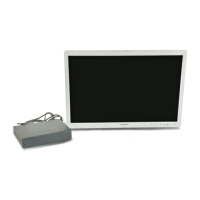
OEV262H
Important Information — Please Read Before Use
5
Important Information — Please Read Before Use
Important Information —
Please Read Before Use
Intended use
This instrument has been designed to be used with
Olympus endoscopes, light sources, video system
centers, camera control units and endoscopic ultrasound
centers for endoscopic diagnosis and video observation.
Do not use this instrument for any purpose other than its
intended use.
Instruction manual
This instruction manual contains essential information
on using this instrument safely and effectively. Before
use, thoroughly review this manual and the manuals for
all equipment that will be used during the procedure and
use the equipment as instructed.
Keep this and all related instruction manuals in a safe,
accessible location. If you have any questions or
comments about any information in this manual, contact
Olympus.
Terms used in this manual
Video system center:
The video system center is a device that converts signals
from a videoscope or video converter into monitor
images.
Camera control unit:
The camera control unit is a device that converts signals
from a fiberscope or rigid endoscope into monitor
images.
Ultrasound center:
The ultrasound center converts the ultrasonic signals
from an ultrasound endoscope or probe into monitor
images.
Light source:
The light source provides light and electrical signals to
the endoscope.
Wall mains socket outlet:
An electrical outlet that has a terminal used exclusively
for grounding.
Aspect ratio:
It is a unit that expresses a rate of a screen side and a
vertical length.
The aspect ratio of 4:3 is used usually for SDTV.
The aspect ratio of 16:9 is used usually for HDTV.
VESA mounting standards:
These are the standards to be applied when mounting an
LCD panel on a monitor mount or stand. These
standards were defined by the Video Electronics
Standards Association (VESA), a US-based
organization concerned with computer display devices.
Mobile workstation:
The mobile workstation is a special trolley on which this
monitor is placed.
PIP (Picture in Picture):
The sub display is located within the main display.
POP (Picture out Picture):
The sub display and main display are side by side.
Instrument compatibility
Refer to the “System chart” in the Appendix to confirm
that this instrument is compatible with the ancillary
equipment being used. Using incompatible equipment
can result in patient or operator injury and/or equipment
damage. It may also impair the functionality of the
instrument.
This instrument complies with medical electrical
equipment edition 3 (IEC 60601-1-2: 2007). However
when connecting with an instrument that complies with
medical electrical equipment edition 1 (IEC 60601-1-2:
1993), the whole system complies with edition 1.
See, ?EMC information? on page 48 for EMC
compliance level.
Repair and modification
This monitor does not contain any user-serviceable
parts. Do not disassemble, modify or
attempt to repair it;
patient or operator injury, equipment damage and/or the
impossibility to obtain the expected functionality can
result. Some problems that appear to be malfunctions may
be correctable by referring to Chapter 6,
“Troubleshooting.” If the problem cannot be resolved
using the information in Chapter 6, contact Olympus. This
monitor is to be repaired by Olympus technicians only.
Olympus is not liable for any injury or damage which
occurs as a result of repairs attempted by non-Olympus
personnel.
On Safety
• Operate the unit on 100-240 V AC only.
• The nameplate indicating operating voltage, etc. is
located on the rear panel.
• Should any solid object or liquid fall into the cabinet,
unplug the unit and have it checked by qualified
personnel before operating it any further.


 To Next Page