0 Rotating pictures
'CJI
+90
0
I _
0°
I
~
-90
0
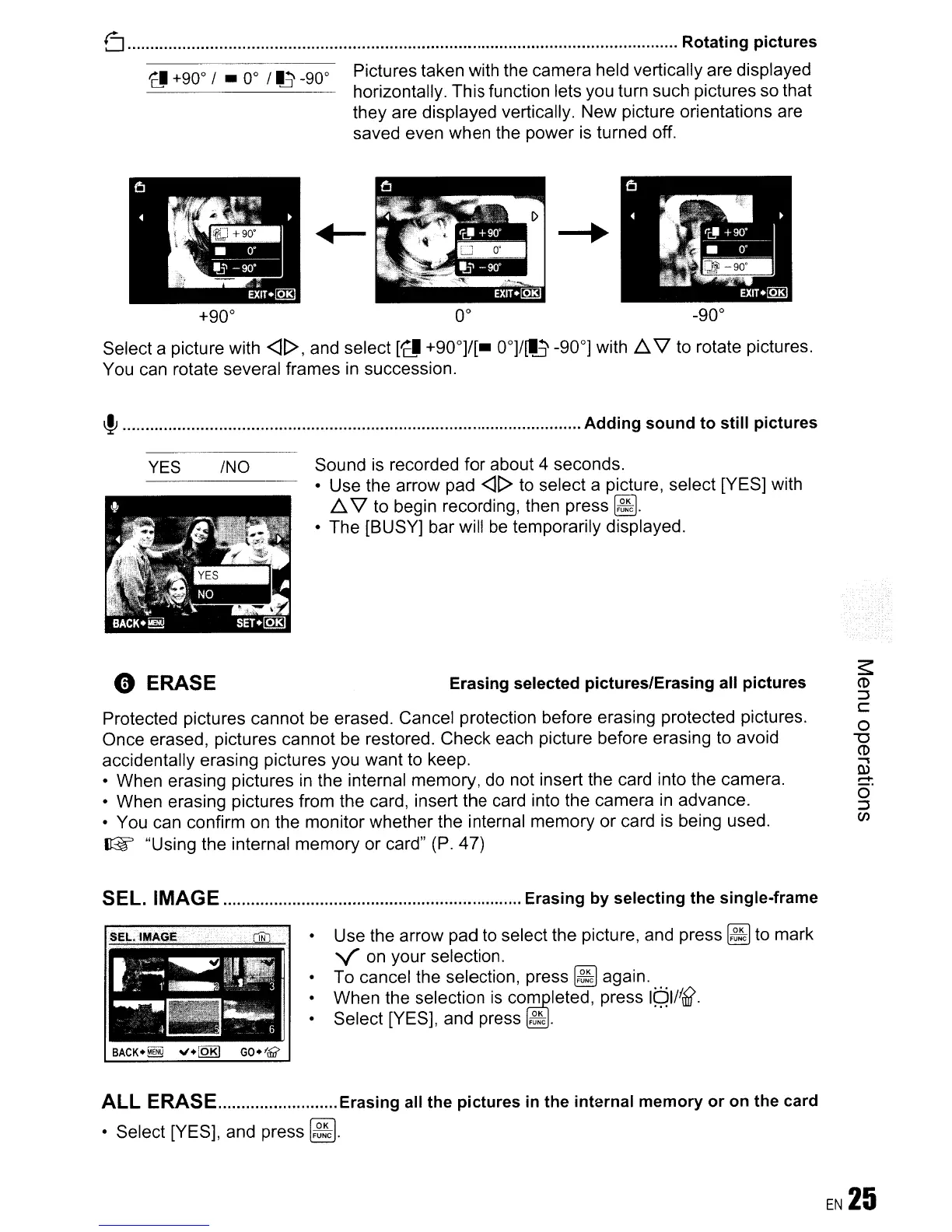
Pictures taken with the camera held vertically are displayed
horizontally. This function lets you turn such pictures so that
they are displayed vertically. New picture orientations are
saved even when the power
is
turned off.
+90°
0°
-90°
Select a picture with
<H>,
and select
['CI!
+90°]/[_
OO]/[I~
-90°] with 6.
'1
to rotate pictures.
You can rotate several frames in succession.
~
Adding sound to still pictures
Protected pictures cannot
be
erased. Cancel protection before erasing protected pictures.
Once erased, pictures cannot be restored. Check each picture before erasing to avoid
accidentally erasing pictures you want to keep.
• When erasing pictures
in
the internal memory, do not insert the card into the camera.
• When erasing pictures from the card, insert the card into the camera
in
advance.
• You can confirm on the monitor whether the internal memory or card
is
being used.
~
"Using the internal memory or card" (P. 47)
YES
o ERASE
INO
Sound
is
recorded for about 4 seconds.
• Use the arrow pad
<U>
to select a picture, select [YES] with
6.
'1
to begin recording, then press
~.
• The [BUSY] bar will
be
temporarily displayed.
Erasing selected pictures/Erasing all pictures
SEL. IMAGE Erasing by selecting the single-frame
• Use the arrow pad
to
select the picture, and press
~
to mark
von
your selection.
To cancel the selection, press
~
again.
When the selection
is
co~leted,
press
Iqll!~.
• Select [YES], and press
~.
ALL ERASE Erasing all the pictures
in
the internal memory or on the card
• Select [YES], and press
~.









 To Next Page