Omnia 6 Use and Installation Guide – Version 1.00a
14
14
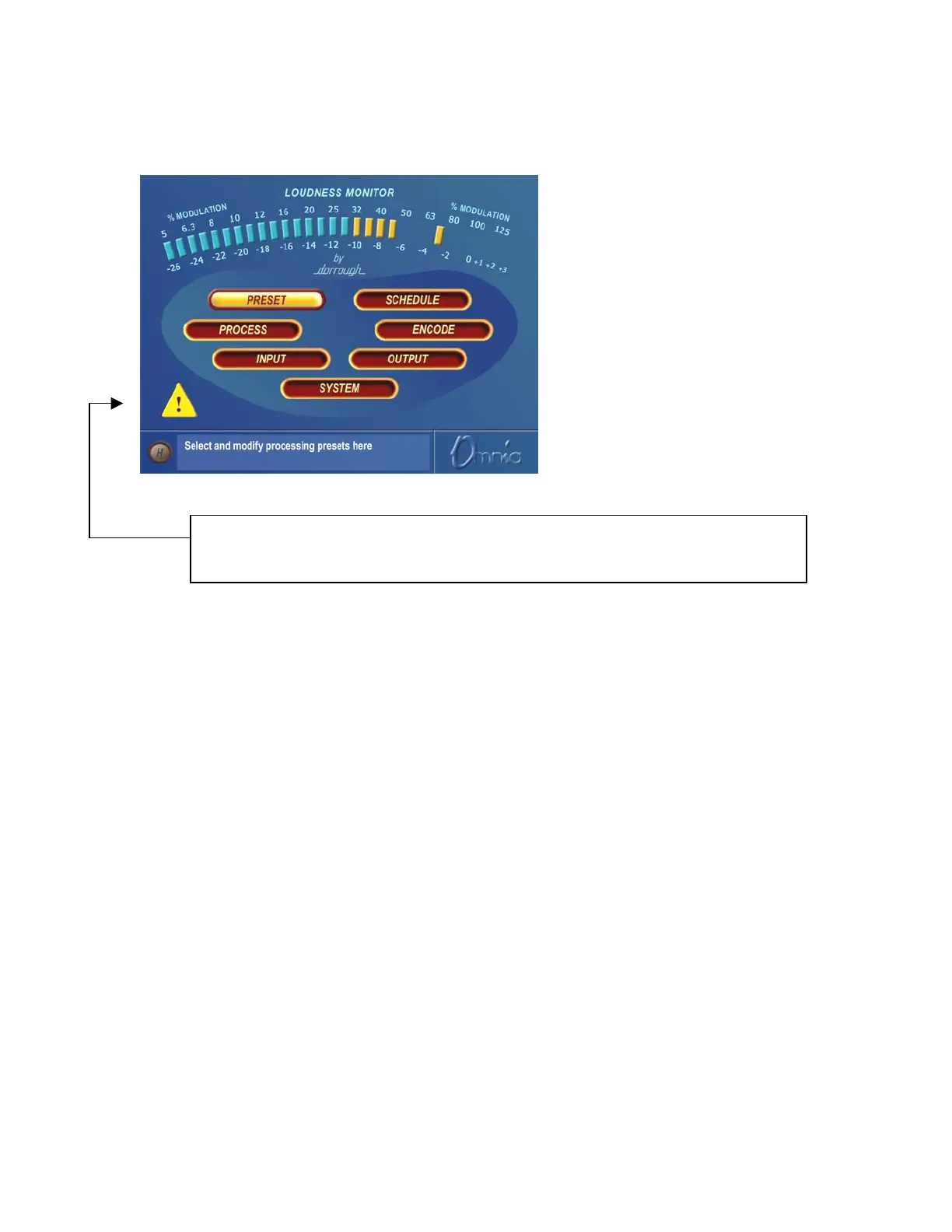
Remote Control Session via Network Indicator
An exclamation mark inside a yellow
triangle will show up in the lower left
corner of the Main Menu screen when a
Network remote session is in progress. A
remotely connected network session has
priority over local control of the front
panel, so during a Network remote
session the Main Menu will be grayed
out.
Omnia 6 Main Menu
The triangle with exclamation mark signifies that a TCP/IP Remote Control session is active.
There is no front panel indication shown when a serial or modem based remote control session
is in progress.
Headphone Level Control
A standard ¼" stereo headphone jack located at the lower left corner of the front panel allows the processed
signal to be monitored, and a Headphone volume level control is available in each submenu. When the
headphone volume control slider is highlighted, clicking changes the jog-wheel into a headphone volume
control. Once the headphone volume is adjusted to your liking, clicking the jog-wheel exits the volume
adjustment mode, returning the jog-wheel back to Highlight Mode.
Note: The headphone amplifiers are fed from the same high quality D to A converter as the analog
outputs. Therefore, the overall Headphone volume will also be affected by the setting of the Peak Output
Level controls in the Output Menu.


 To Next Page