LVS-750
0 External System Operations Manual
LVS-7500 External System Operations Manual Page 28 of 129
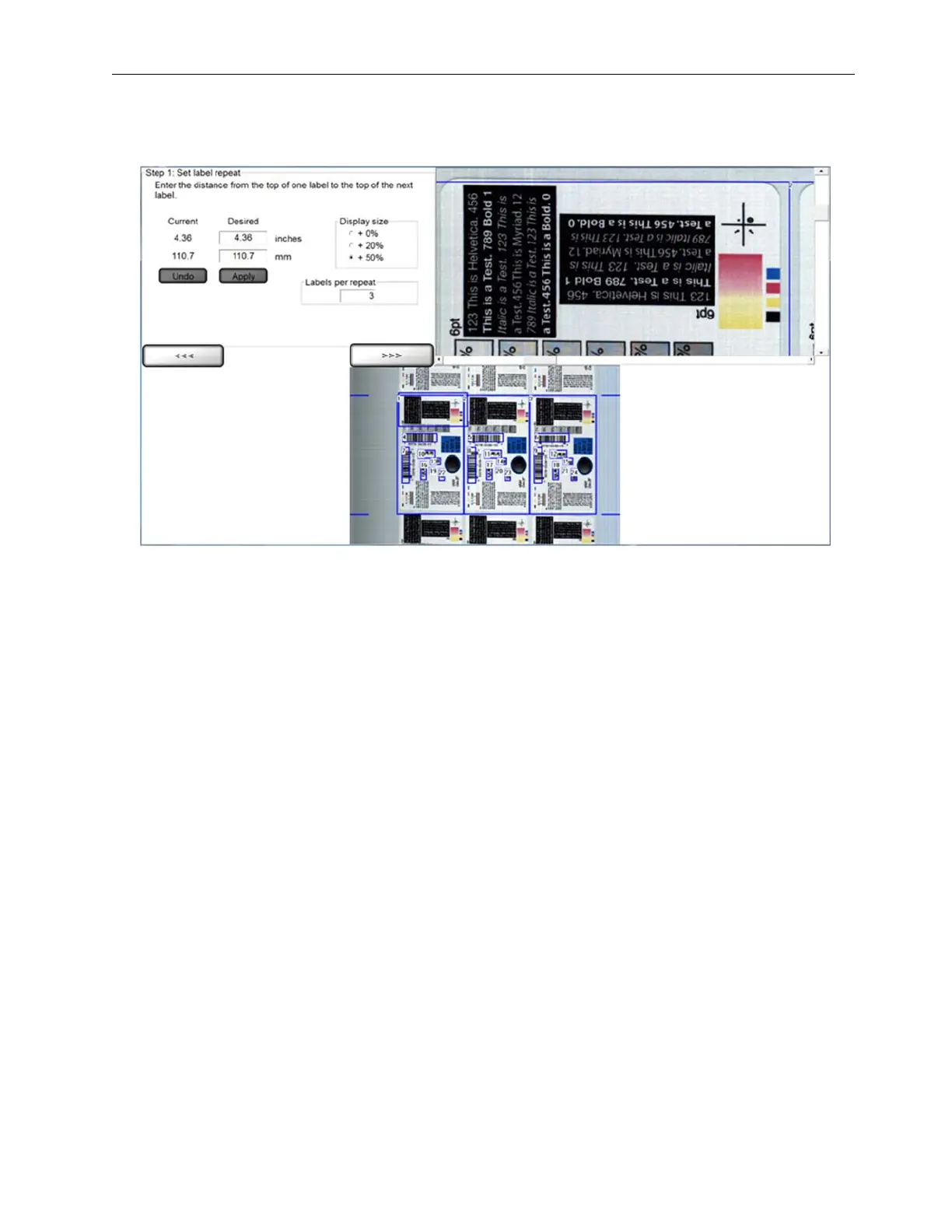
2. Select No when asked, “Do you want to use the automatic setup feature?” The Step 1: Set label repeat
screen appears (see below
).
3. In
the Desired column, enter the desired value into
the inches or millimeter (mm) fields.
4. Click
the Apply button, or click the Undo button to clear the values entered into the Desired column.
5.
You may choose to change the Display Size. Options incl
ude:
• 0%
(Normal)
• 20% (Norma
l + 20%)
•
50% (Normal + 50%) (Default size
)
6. In
the Labels per repeat field, enter the labels per repeat, which is the amount of labels in one
gate. This
field is criti
cal for allowing Global Copy capability in Manual setup. See the Global Copy sect
ion for more
information.
7. Click
the right arrow bu
tton.


 To Next Page
 Loading...