LVS-7500 External System Operations Manual
LVS-7500 External System Operations Manual Page 82 of 129
Operate Screen: Running the Job
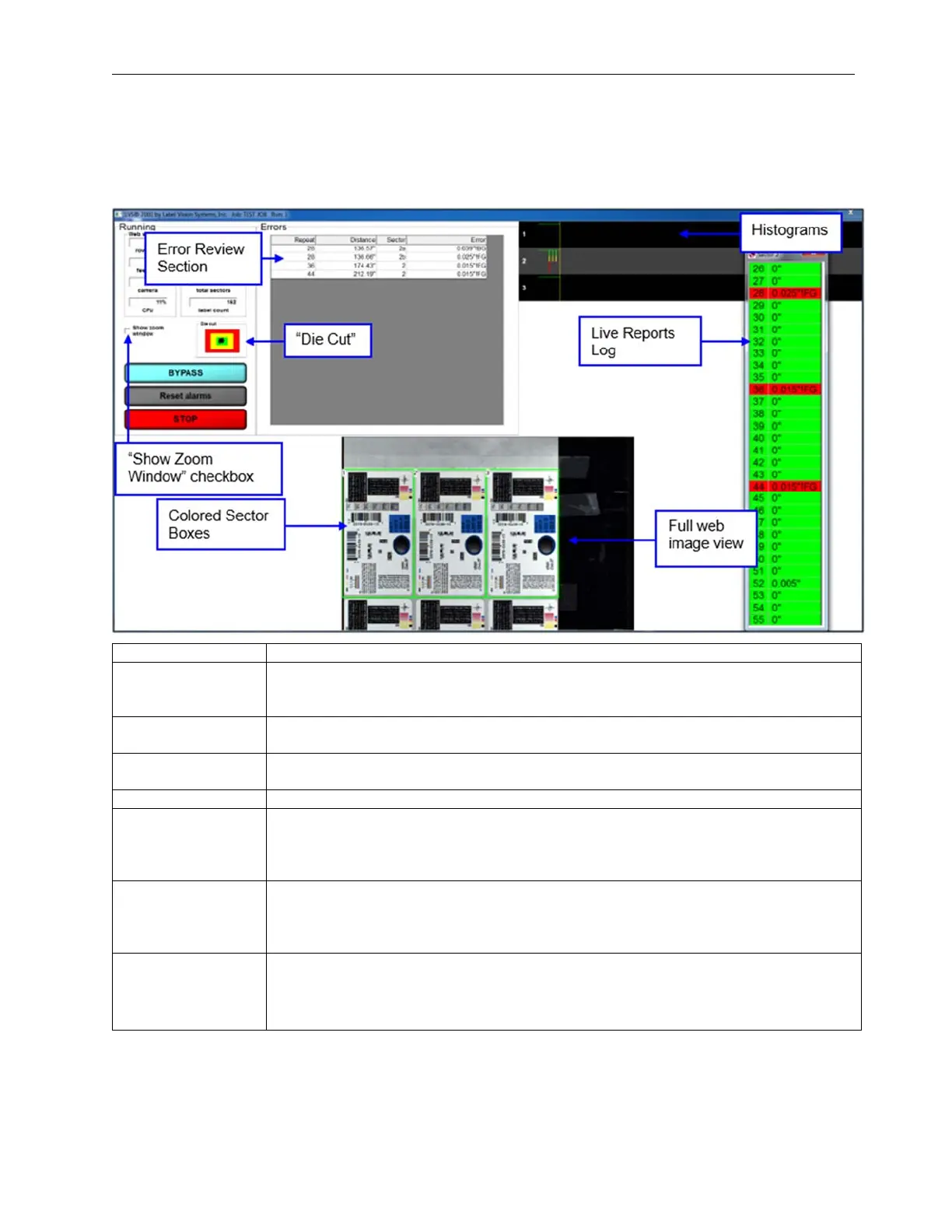
The Operate Screen (Running the Job) is typically what you monitor at all times. The features on this screen
are described in the table below:
Field Description
Web Speed
This gives the operator how many rows per second are being analyzed as well as
how many feet per minute the roll is traveling. This calculation is based upon the
Label Repeat data entered in Step 1.
Counters
There are two conditions being counted: All “passed” sectors and all “failed”
sectors. These two conditions are totaled at the bottom of this column.
Camera
Shows a percentage of the Camera Speed. A warning message will pop-up if the
speed is too high.
CPU
Shows the CPU Usage. A warning message appears if the CPU usage is too high.
Die Cut
The Die Cut is tracked for movement from the original position; this is in the green
center. Movement is visually depicted by the moving black dot away from dead
center. Movement in the yellow is ok as it is inside the set allowable movement.
Movement out to the red zone will cause a !DC (Die Cut) error.
Reset Alarms
On the Alarm matrix, there is a “hold” function if/when an error occurs; this is
indicated by the term “Hold” appearing in the “Dwell” column on the Alarm matrix.
The Reset Alarms button releases the error condition and is visible only when the
“Hold” function is activated in the Alarm matrix.
Stop
Press the Stop button to stop the roll.
Important: A Warning message will appear if the LVS-7500 has been setup to not
allow the roll to stop while in motion; this feature is enabled in the LVS7500.ini file.
See example below.



 To Next Page