LVS-7500 External System Operations Manual
LVS-7500 External System Operations Manual Page 32 of 129
Synchronization
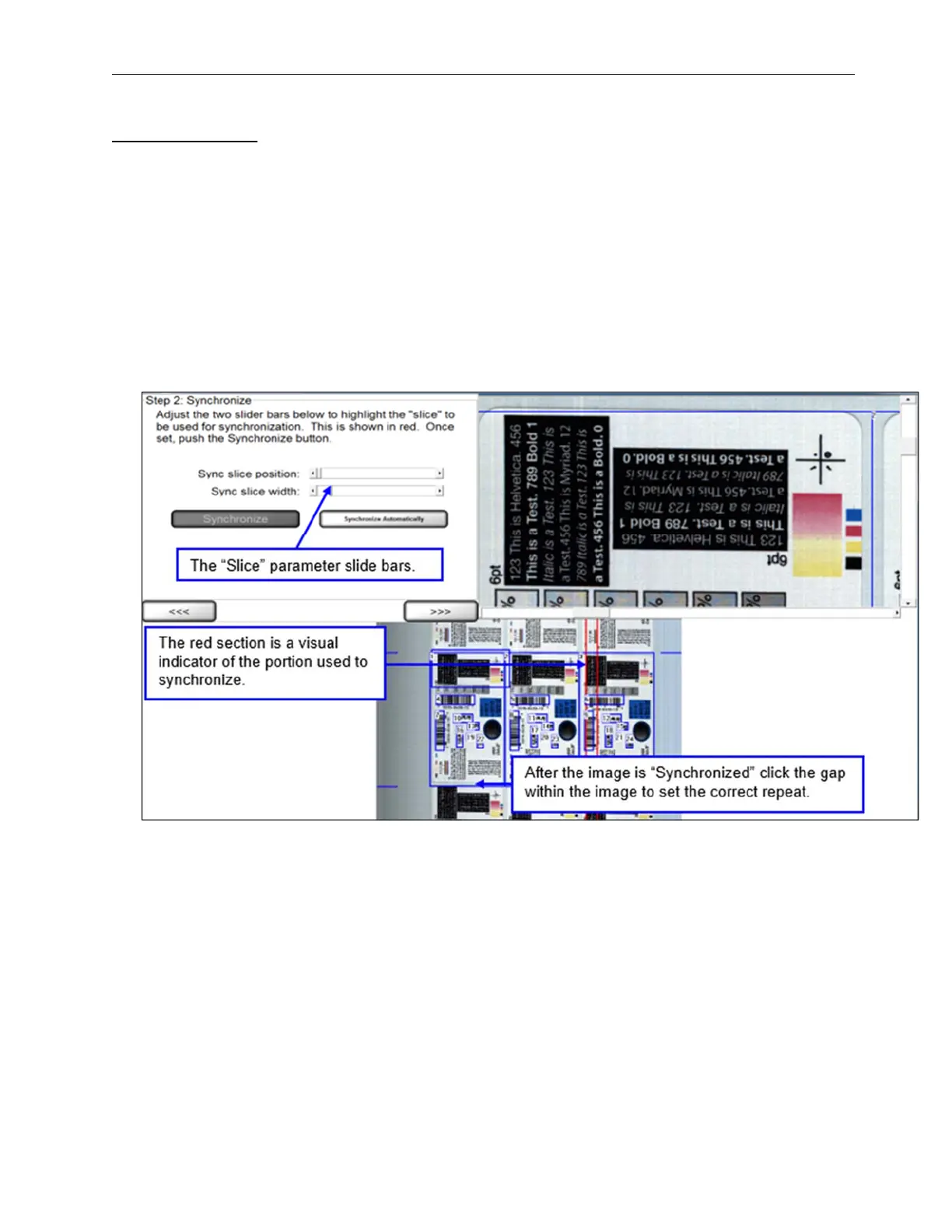
1. In order to manually synchronize the system, the operator must adjust the two slide bars. The “slice” is a
portion of the label that has the best representation of the labels static (unchanging) portion. To change the
Width of the “slice” use the “Sync slice width” slide bar. The minimum size is 128 pixels, and the max is ¼ of
the cameras field of view. Next move the “Sync slice position” slide bar to the desired location. Then, press
“Synchronize.”
The system can also perform the above steps automatically to find the best sync position and width. Click
the “Synchronize Automatically” button. The sync slice will be automatically positioned and sized.
There is no limit to the number of times that manual and automatic sync can be performed.
2. To perfectly center the label in the display, point and left-click the mouse in the center of the label gap shown
on the display. The large (full resolution) or the small (full field of view) image can be used. For very small
repeats, the larger image is easier to pinpoint the gap location.
3. Click the right arrow button.



 To Next Page