LVS-7500 External System Operations Manual
LVS-7500 External System Operations Manual Page 96 of 129
Run Log with Images
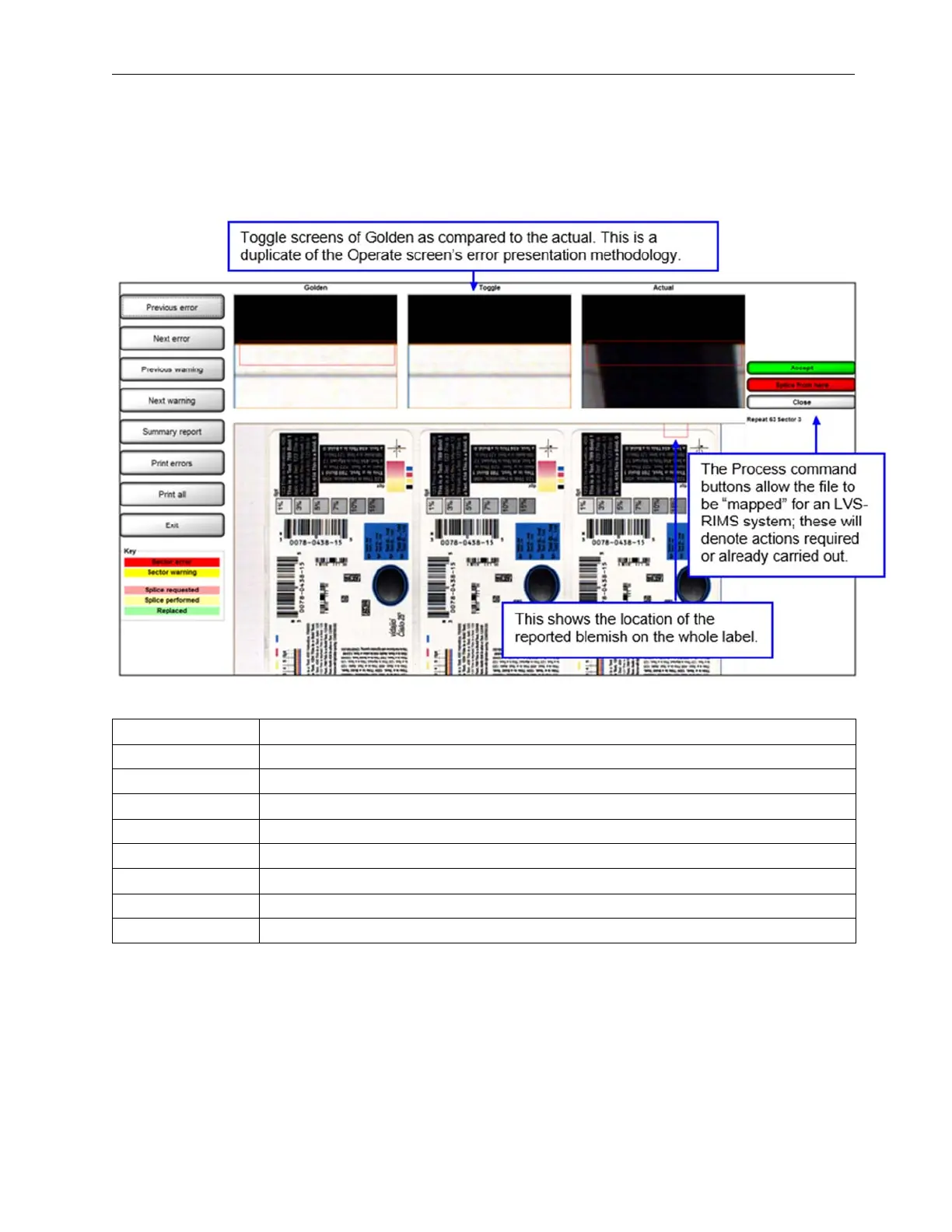
Blemish, barcode, and OCR/OCV error images can be viewed by clicking on the red blemish cell in the log file.
An error display screen will then pop-up. If the error is a blemish, the Golden Image will show on the Left; a
Toggle between Golden and Actual in the center; and the Actual Blemish image is on the right.
Button Definitions
Button Description
Previous Error Moves upward from the current file location to the next error.
Next Error Moves downward from the current file location to the next error.
Previous Warning Moves upward from the current file location to the next warning.
Next Warning Moves downward from the current file location to the next warning.
Summary Report Click to view the Summary Report.
Print errors Click to print the errors only.
Print All Click to print all information for the run.
Exit Click to close the QC File Viewer and return to the LVS-7500.



 To Next Page