EN15
EN
Get Started with Your Therapy
Step 1 – Selecting a Treatment Area
Before Use
• Open the OMRONTENS app.
• Confirm the device(s) is connected.
• Make sure to always keep the smart device near you during the session.
Treatment Area Selection
1. Tap on one of the suggested locations to select the area
you are going to place the pad.
Step 2 – Pad Placement
The pad should be applied only to normal, intact, clean, healthy skin that is not
experiencing any swelling or inflammation.
Before therapy, make sure that the pads stick to the skin.
For optimal therapy:
Caution
• Place the pads at least 3cm apart. Do not place the adhesive surface of the pads
on the spine.
• DO NOT overlap or put the pads on top of each other because therapy may
weaken or stop.
• DO NOT apply any lotion, cream or ointment to the pads.
• Clean and dry affected area so it is free of all lotions, oils and sweat.
• Pads are for Single Patient Use Only. Never share the pads with another person.
• DO NOT put the pad on your body where it cannot be reached by your own hand.
Note:
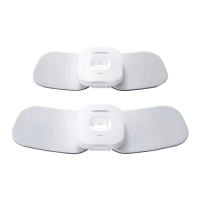
• Use the medium pad if the treatment area is so slender that the large pad is
overlapped.
• Check to make sure that the pad is not peeling off during treatment sessions.
Next
Select the body part you want to treat.
Pad Placement



 To Next Page