EN26
Reset the Device
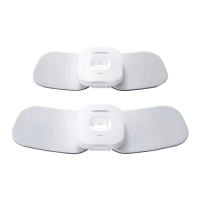
To reset the device, follow the steps below:
1. Reset the device
Press the reset button on the back of the device.
2. Reset the Bluetooth information in your smart device
2-1. Open “Settings” of your smart device’s Operating System (OS)*.
2-2. Tap “Bluetooth” and find “HV-F601T”, then tap
.
2-3. Tap “Forget This Device”.
3. Reset the app settings
3-1. Open the OMRONTENS app and tap
to open the settings.
3-2. Tap “Forget All Devices”.
* This section explains the steps using iOS10 as an example. If you’re using an
another OS, refer to your smart device’s instructions.
Try step 1 if any of the following situations occur:
- There is no response when the device’s power button is pressed.
- You want to clear all the information stored in your device.
- You changed the smart device to new one.
- You received another person’s device that was paired with his/her smart
device.
Try step 1 and 2 if the following situation occurs:
- The OMRONTENS app was uninstalled and installed again.
Try step 1, 2 and 3 if any of the following situations occur:
- The device was lent to someone and it was returned to you after being used.
- The OMRONTENS app is unresponsive even after it is reinstalled.
PM601 Connected
Appendix



 To Next Page