EN25
EN
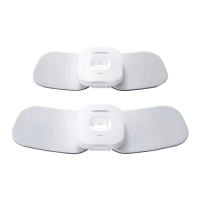
With proper storage and use, you may extend the life of your pad to 30 uses.
Thelife of the pads may vary due to skin and storage conditions.
Cleaning the Pads
When the pad has become dirty or soiled:
1. Remove the device from the pad before
cleaning the pads.
2. If you want to clean the ADHESIVE side of
the pads, wipe the surface with a soft cloth
moistened with water. If you want to clean
the NON-ADHESIVE side of the pads, wipe the
surface with a soft cloth moistened with water
or mild (neutral) detergent , then wipe the
surface with a dry soft cloth to remove extra water.
- Wiping adhesive side of the pads with a soft cloth moistened with water may
reduce their adhesive power.
- Do not wash the pads with running water.
3. Dry the pads and let the adhesive surface air-dry completely. Do not wipe with
a tissue paper or cloth.
Pads are replaceable and can be purchased.
Cleaning the Device
1. Turn the device off.
2. Wipe the surface with a soft cloth moistened with water or mild (neutral)
detergent, then wipe the surface with a dry soft cloth to remove extra water.
- Do not use chemicals (like thinner, benzene).
- Do not let water get into the internal area of the device.
Disposal
• For information about how to dispose of the device, refer to section “Correct
Disposal of This Product” on page EN35 and www.omron-healthcare.com.
Cleaning and Disposal



 To Next Page