EN21
EN
Get Started with Your Therapy
Step 4 – Starting a Session
1. Tap “START” to start your session.
If you want to clear the therapy setting, tap “Clear”.
Note: If the session did not start, check to make sure that:
• The device is not turned off.
• The pad is either not placed on your skin or not
placed properly.
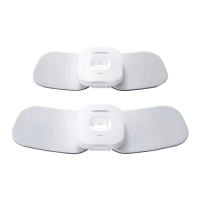
• The device and the pad are correctly attached.
2. The session screen opens and then you can select
your intensity level.
- On the screen, tap “+” or “–” to increase or decrease the
intensity to a comfortable level.
- The session time starts to count down. The display shows the time left of
session.
- Tap “
” to pause the session. Press “
” to restart the session.
- If you want to stop or interrupt the session, tap “QUIT”.
- White light on the device blinks during the session.
3. When the session finishes, press the
(power) button on the device to turn it off.
Note:
• If your smart device cannot operate during the session, turn off the device then
take off the pads immediately.
• When the battery is depleted, the indicator will light up orange and the power will
turn off shortly. Recharge the battery fully.
• If the pad is removed from your body during the session, the session will
automatically be terminated.
A %
STA5T
Tap start button to begin.
A
30
min.
STEAD<
&lear
01020
29
:
41
48,7



 To Next Page