4 Maintenance and Inspection
4-2 Replacing the battery
BN50T/BN75T/BN100T/BN150T/BN220T/BN300T
4-16
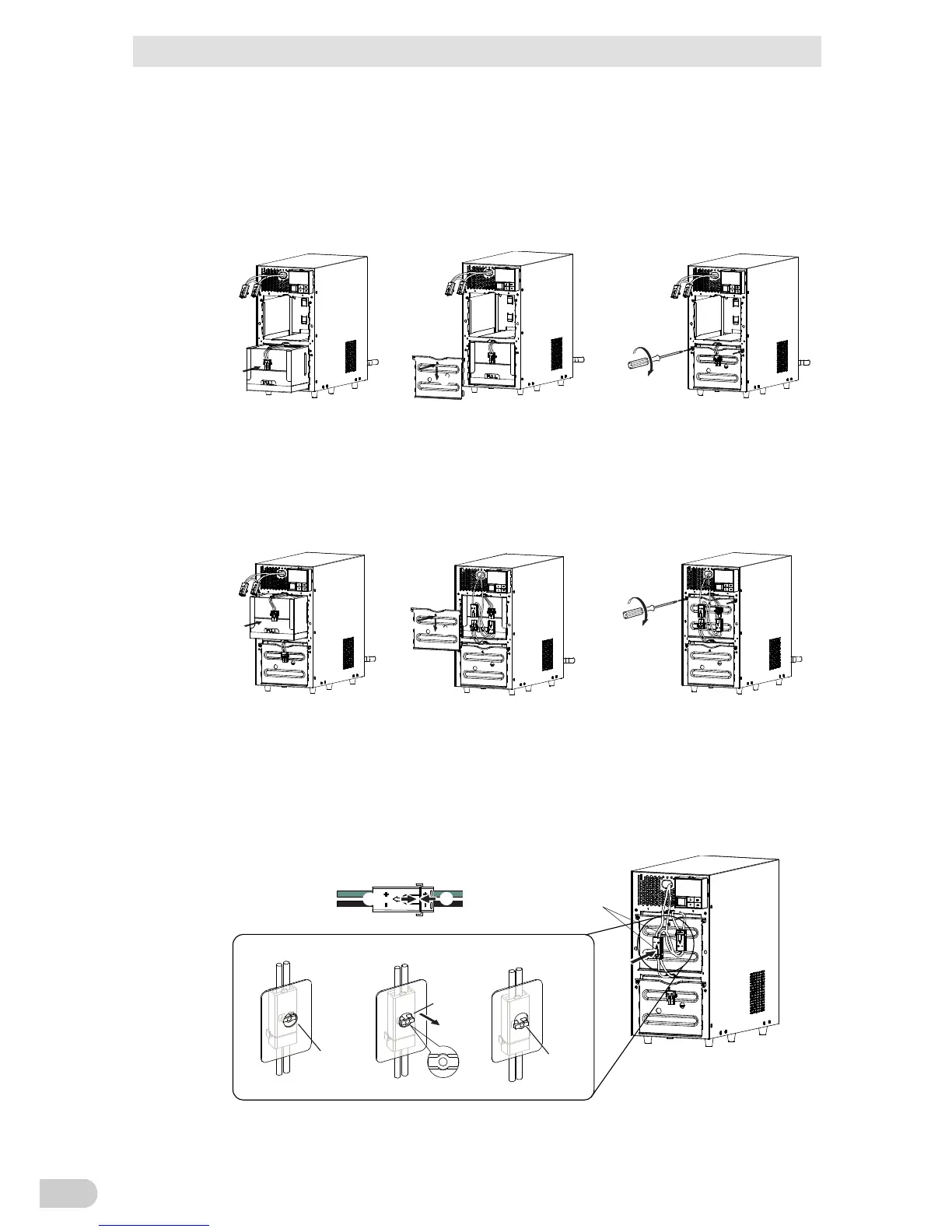
7. Insert a new battery into the UPS as far as it will go. 1)
Replacement battery pack
For BN220T/BN300T: Model BNB300T
Attach the plate cover in order of 2) to 3).
Use a screwdriver to securely tighten (clockwise) the 2 screws you removed. 4)
Do not pinch the cable with the plate cover.
Tighten the 2 screws.
1)
2)
3)
4)
8. Insert a new battery into the UPS as far as it will go. 1)
Replacement battery pack
For BN220T/BN300T: Model BNB300S
Attach the plate cover in order of 2) to 3).
Use a screwdriver to securely tighten (clockwise) the 2 screws you removed. 4)
Do not pinch the cable with the plate cover.
Tighten the 2 screws.
4)
1)
2)
3)
9. Insert the connector until it is locked. 1)
Hold the battery connector, move the connector hook to the center of the fastening hole
in the plate (2)-1), insert through the hole (2)-2), and lower the connector to lock in the
hole (2)-3).
Do this for both battery connectors.
Note: You may hear a “pop” sound when you connect the battery if it is replaced after the
unit’s operation is stopped, but this sound is not abnormal.
Battery connector
Connector’s hook
align the hole
Connector
move
through
the hole
Connector
locked
2)
1) 1)
2)-1 2)-2 2)-3



 To Next Page