EasyManua.ls Logo

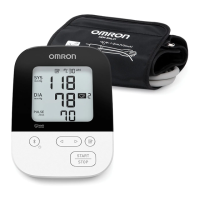
Omron BP4350 - User Manual

Omron BP4350
45 pages
Print Icon
To Next Page IconTo Next Page
Loading...
INSTRUCTION MANUAL
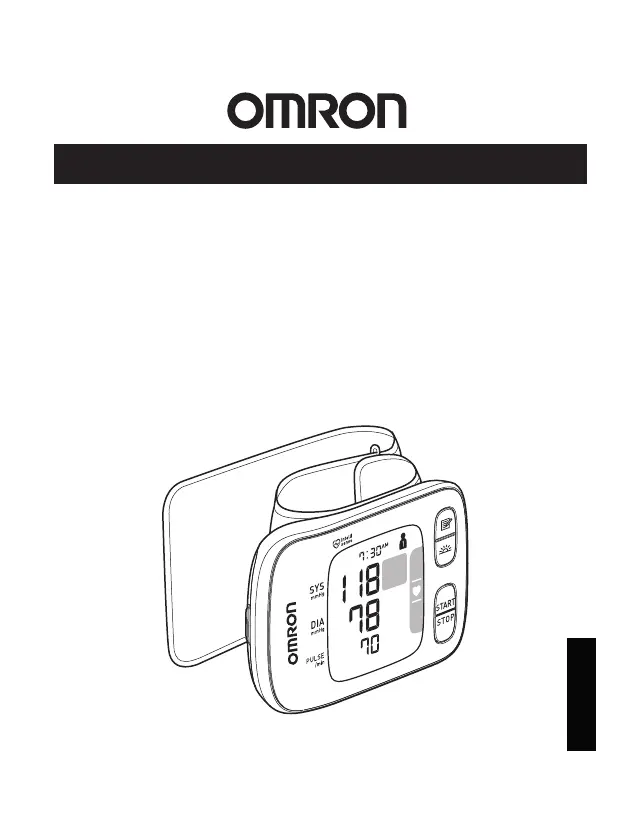
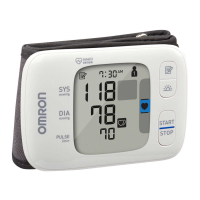
Gold Wrist Blood Pressure Monitor
Model BP4350
®
2829250-8D
ENGLISH

Questions and Answers

  • E
    elizabeth65Jul 29, 2025
    Why does the symbol appear on my Omron BP4350 Blood Pressure Monitor?
    • K
      katherine51Jul 29, 2025
      If the Omron Blood Pressure Monitor displays the symbol, it could be due to several reasons. It might mean the wrist cuff is overinflated, exceeding 300 mmHg, in which case you should avoid touching the wrist cuff during measurement. Alternatively, movement or talking during measurement can disrupt the process. Therefore, remain still and do not talk while taking a measurement.
  • N
    Nathan FrazierAug 2, 2025
    What to do if the symbol flashes on Omron Blood Pressure Monitor?
    • A
      Adam StevensAug 3, 2025
      If the Omron Blood Pressure Monitor displays the flashing symbol, it may indicate that more than 80 readings have not been transferred. Pair or transfer your readings to the app, so you can keep them in memory in the app, and this error symbol disappears. Alternatively, it could mean the batteries are low, in which case replacing all batteries with 2 new alkaline batteries is recommended.
  • K
    Katherine GonzalezAug 8, 2025
    What to do if the symbol appears on Omron BP4350?
    • J
      John HarrisAug 8, 2025
      If the Omron Blood Pressure Monitor displays the symbol, it could be because the pulse rate is not being detected correctly. Try applying the wrist cuff correctly and remain still and sit correctly during measurement, then take another measurement. If the symbol continues to appear, it is recommended to consult with your physician. It may also be due to wrist movement during measurement, so avoid moving your wrist. Another reason may be that the monitor is malfunctioned, press the [START/STOP] button again. If “Er” still appears, contact customer service. Finally, the monitor may not be connecting to a smart device or transmitting data correctly, follow the instructions shown in the app. If the “Err” symbol still appears after checking the app, contact customer service.
  • I
    Ian KennedyAug 13, 2025
    Why are the readings on my Omron Blood Pressure Monitor too high or too low?
    • R
      robertmeyerAug 13, 2025
      If the Omron Blood Pressure Monitor readings appear too high or too low, it's important to consider that blood pressure varies constantly. Many factors including stress, time of day, and/or how you apply the wrist cuff, may affect your blood pressure. Review related sections in the manual.
  • M
    Mackenzie GibsonAug 18, 2025
    How to fix an Omron BP4350 Blood Pressure Monitor when the symbol appears or the wrist cuff doesn't inflate?
    • M
      Mathew JonesAug 18, 2025
      If the Omron Blood Pressure Monitor displays or the wrist cuff does not inflate, it may be because the wrist cuff is not applied correctly. Apply the wrist cuff correctly, then take another measurement. It may also be that air is leaking from the wrist cuff, contact customer service.
  • R
    Robert CooperAug 22, 2025
    Why does the symbol appear or the Omron Blood Pressure Monitor turn off during measurement?
    • S
      Scott WigginsAug 22, 2025
      If the Omron Blood Pressure Monitor displays the symbol or turns off unexpectedly during a measurement, it's likely due to depleted batteries. Immediately replace all batteries with 2 new alkaline batteries. Another possibility is that the battery polarities are not properly aligned, so check the battery installation for correct placement.

Summary

Important Safety Information

1. Monitor Overview

1.4 Blood Pressure Categories

Details blood pressure categories for adults based on established guidelines.

2. Device Preparation

2.1 Installing Batteries

Step-by-step guide for correctly inserting batteries into the monitor.

2.3 Measurement Preparation Tips

Advice for ensuring accurate readings, including pre-measurement steps.

2.4 Applying the Wrist Cuff Correctly

Detailed instructions on how to properly wear the wrist cuff for measurement.

3. Manual Measurement

3.1 Taking a Measurement

Step-by-step procedure for taking a blood pressure measurement without a smart device.

4. Smart Device Connectivity

4.1 Pairing Monitor with Smart Device

Guide to wirelessly connect and pair the monitor with a compatible smart device.

4.2 Taking Measurement with Smart Device

How to take a measurement and sync data with your smart device.

5. Memory Usage

7. Troubleshooting and Errors

Error Messages and Solutions

Table of common display errors, their causes, and recommended solutions.

8. Care and Maintenance

9. Technical Specifications

Omron BP4350 Specifications

General IconGeneral
Device TypeUpper Arm Blood Pressure Monitor
Measurement MethodOscillometric
DisplayLCD
Measurement Range (Pressure)0 to 299 mmHg
User Profiles2
Irregular Heartbeat DetectionYes
Hypertension IndicatorYes
Average Reading FunctionYes
Power Source4 x AA batteries
ConnectivityNo
Measurement Range (Pulse)40 to 180 beats per minute

Related product manuals