EasyManua.ls Logo

Omron BP9300T - User Manual

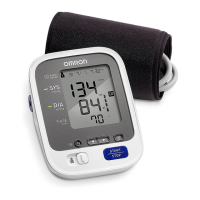
Omron BP9300T
43 pages
Print Icon
To Next Page IconTo Next Page
Loading...
INSTRUCTION MANUAL
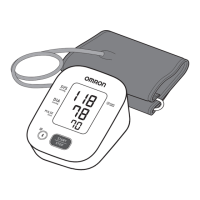
Blood Pressure Monitor
Model BP9300T
®
3293795-5A
ENGLISH

Questions and Answers

  • A
    Alexis DavisAug 14, 2025
    What to do if ' ' appears on Omron Blood Pressure Monitor?
    • D
      David HansenAug 14, 2025
      If ' ' appears on your Omron Blood Pressure Monitor, it means the pulse rate isn't being detected correctly. Make sure the arm cuff is correctly applied, remain still, and sit properly during the measurement. If it continues to appear, consider consulting your doctor.
  • A
    Ashlee WattsAug 17, 2025
    What to do if nothing appears on the display of my Omron BP9300T Blood Pressure Monitor?
    • T
      Teresa CastilloAug 17, 2025
      If nothing appears on the display of your Omron Blood Pressure Monitor, ensure that the battery polarities are correctly aligned. Also, the batteries may be depleted.
  • B
    Billy LamAug 20, 2025
    How to fix an Omron BP9300T Blood Pressure Monitor when appears or the arm cuff does not inflate?
    • A
      Angel HayesAug 21, 2025
      If the arm cuff does not inflate or the symbol appears, first, ensure the air plug is securely inserted. Next, apply the arm cuff correctly. If the issue persists, the cuff may be leaking air and need replacement. Finally, make sure you press the [START/STOP] button again to turn the monitor off before starting a new measurement.
  • R
    Richard LambAug 25, 2025
    What to do if flashes on Omron BP9300T?
    • C
      Chelsea CaseyAug 25, 2025
      If you see ' ' flashing on your Omron Blood Pressure Monitor, replace all four batteries with new ones.
  • J
    Jessica WagnerAug 27, 2025
    Why does ' ' appear or a measurement cannot be complete after the arm cuff inflates on Omron BP9300T?
    • D
      David AllisonAug 27, 2025
      If you move or talk during the measurement, or if your systolic pressure is above 210 mmHg, the symbol may appear, or the measurement may not complete after inflation. Remain still and do not talk. If 'E2' appears repeatedly, manually inflate the cuff 30-40 mmHg above your previous systolic reading.
  • B
    Benjamin BurtonAug 30, 2025
    Why does flash on my Omron BP9300T Blood Pressure Monitor?
    • S
      Sandy FernandezAug 30, 2025
      If the symbol flashes on your Omron Blood Pressure Monitor, it indicates there are more than 24 readings in the memory waiting to be transferred. Pair or transfer the readings to the receiver to clear the memory and remove the error.
  • M
    maryandersonSep 3, 2025
    What does it mean when and appears or the monitor is turned off unexpectedly during a measurement on Omron BP9300T?
    • R
      Renee GloverSep 3, 2025
      If you see and appear, or if the monitor turns off unexpectedly, the batteries are likely depleted. Replace all four batteries immediately.
  • C
    Christopher JonesSep 6, 2025
    Why do readings appear too high or too low on my Omron Blood Pressure Monitor?
    • J
      Jennifer LynchSep 6, 2025
      If the readings on your Omron Blood Pressure Monitor appear too high or too low, remember that blood pressure varies. Stress, time of day, and cuff application can affect readings. Review sections 2.2-2.4 and section 3 of the manual for guidance.
  • A
    Aaron BrooksSep 9, 2025
    What to do if appears on Omron Blood Pressure Monitor?
    • W
      wlaneSep 9, 2025
      If the 'Err' symbol appears on your Omron Blood Pressure Monitor, press the [START/STOP] button again. If it persists, contact OMRON at 1-800-634-4350.

Summary

Introduction to OMRON BP9300 T Monitor

Monitor Safety Instructions

Provides critical information for the safe and proper operation of the blood pressure monitor.

Intended Use and Patient Population

Defines the device's purpose for measuring blood pressure and pulse rate in adults.

Unpacking and Inspection Guide

Instructions on checking the monitor for damage after unpacking.

Symbol Glossary Location

Information on where to find symbol definitions online.

Contraindications for Use

Lists specific situations and environments where the monitor should not be used.

OMRON BP9300 T Important Safety Information

Know Your Monitor

Product Contents and Front Overview

Lists all items included in the package and identifies front monitor components.

Preparation for Blood Pressure Measurement

Installing Monitor Batteries

Step-by-step guide for inserting batteries into the monitor.

Taking Measurements Without Telehealth Receiver

Step-by-Step Measurement Guide

Step-by-step process for taking a blood pressure reading.

Using Monitor With Telehealth Receiver

Pairing Monitor with Telehealth Receiver

Instructions for connecting the monitor to a receiver.

OMRON Monitor Memory Function

Viewing Stored Blood Pressure Readings

How to access and review past blood pressure measurements.

OMRON Monitor Other Settings

Resetting Monitor to Default Settings

Procedure to reset the monitor to its factory default settings.

OMRON BP9300 T Troubleshooting and Errors

Error E1 and Cuff Inflation Issues

Addresses error code E1 and problems with arm cuff inflation.

OMRON Monitor Maintenance and Storage

General Monitor Maintenance Guidelines

Guidelines to protect the monitor from damage and maintain performance.

Proper Monitor Storage Instructions

Proper methods for storing the monitor and its components.

OMRON BP9300 T Optional Accessories

Compatible OMRON Arm Cuffs

Details available arm cuff sizes and models.

OMRON AC Adapter Accessory

Information about the optional AC adapter.

OMRON BP9300 T Technical Specifications

Monitor Technical Specifications Table

Provides detailed technical data for the blood pressure monitor.

OMRON BP9300 T FCC;ISED Compliance

FCC and ISED Regulatory Information

Regulatory information regarding FCC and ISED compliance.

OMRON BP9300 T Limited Warranty Information

Warranty Terms and Service

Details the warranty period and instructions for obtaining service.

How to Obtain Warranty Service

Instructions on how to contact customer service for warranty claims.

OMRON BP9300 T Guidance and Declarations

Electromagnetic Compatibility (EMC) Declaration

Important information regarding the monitor's electromagnetic compatibility.

Omron BP9300T Specifications

General IconGeneral
Device TypeUpper Arm Blood Pressure Monitor
Measurement MethodOscillometric
Measurement Range (Pressure)0 to 299 mmHg
DisplayLCD
ConnectivityBluetooth
User Profiles2
Irregular Heartbeat DetectionYes
Average ReadingYes
Hypertension IndicatorYes
Measurement Range (Pulse)40 to 180 beats per minute
Power Source4 AA batteries
Cuff Size22 to 42 cm

Related product manuals