3-17
DeviceNet Communications Cables Wiring Section 3-3
Parts, Installa-
tion, and Wiring
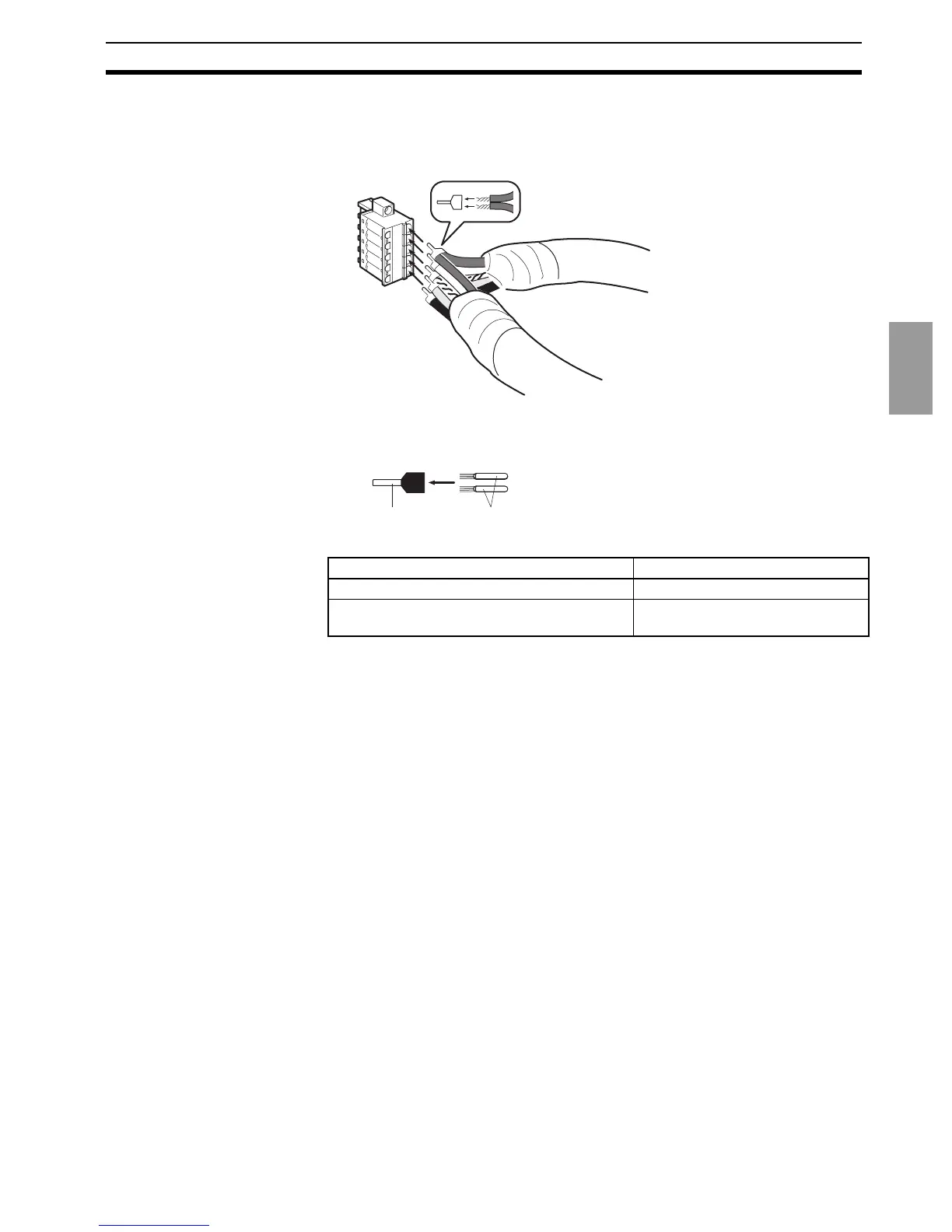
• Using the Connector Provided with the DeviceNet Communications Unit
for a Multidrop Connection (Using Thin Cables)
• When using Thin Cables for a multidrop connection, two wires of the
same color can be inserted into the one hole.
Crimp the two lines together that are to be inserted into the same hole us-
ing a special crimp terminal, as shown in the following diagram.
We recommend the following crimp terminals and crimp tools.
Crimp terminal Crimp tool
Phoenix Contact Phoenix Contact
Model: AI-TWIN2×0.5-8WH (product code
3200933)
Model: UD6 (product code 1204436)
Crim



 To Next Page