13
2
Setting Personal Data (Date of Birth, Gender and Height)
■ You cannot proceed to setting in the following circumstances. Please re-register from
Step 1.
•
If no operation for 3 minutes during setting, the power will automatically switched off.
•
If the power goes off during setting
Setting is completed.
The start date will be automatically set after setting the personal data and measuring weight and body
composition. (
Page 21)
Setting "Gender"
Set "Gender" in accordance with Step 4.
Press button or button to select
"Month of Birth", press
button to proceed
to setting.
After setting "Month of Birth","Day of Birth" flashes.
5
Press button or button to select
"Day of Birth", press
button to proceed
to setting.
After setting "Day of Birth", "Male / Female" flashes.
Setting "Height"
Set "Height" in accordance with Step 4.
• The setting range is 100.0 cm - 199.5 cm.
After setting "Height" , the set "Date of Birth, Age and Height" is
displayed, "0.0 kg" appears.
6
3
7
■ When starting measurement...
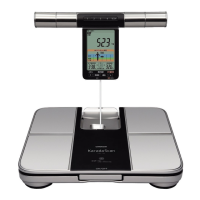
Take out the display unit and start measurement
( Page 18)
■ When setting personal data of other people...
Press the setting button for the desired personal profile
number button ( Page 12)
■ After operation is completed...
Press the power switch to turn off the power










 To Next Page