EasyManua.ls Logo

Omron HEM-790IT - Powering the Monitor; Installing the Batteries

Omron HEM-790IT
132 pages
Print Icon
To Next Page IconTo Next Page
To Previous Page IconTo Previous Page
Loading...
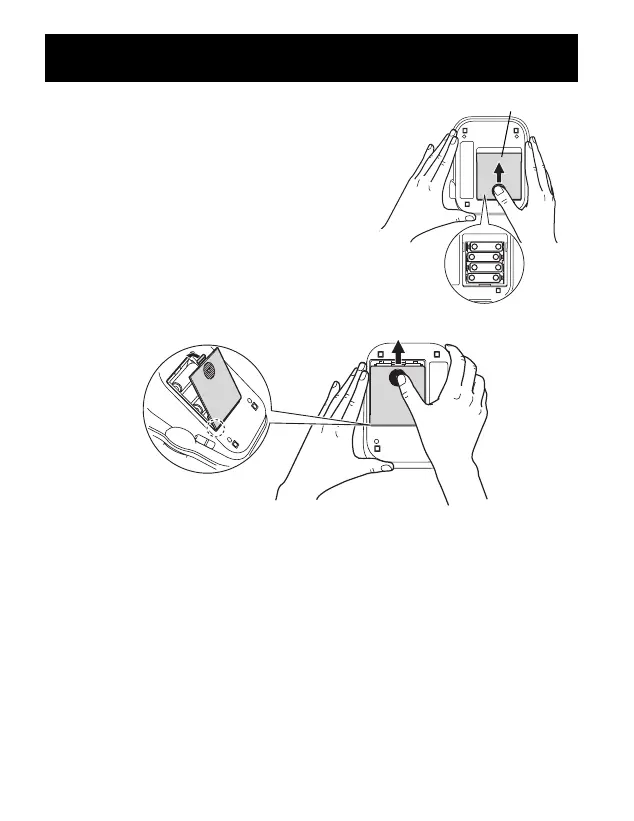
1. Press the indicator on the battery cover
and slide the cover off in the direction of
the arrow.
2. Install 4 “AA” size batteries so the +
(positive) and - (negative) polarities match
the polarities of the battery compartment
as indicated.
3. Replace the battery cover.
BATTERY INSTALLATION
15

Battery Cover
262521 HEM-790IT Final_r2.qxd 11/17/06 7:19 PM Page 15

Table of Contents

Other manuals for Omron HEM-790IT

Related product manuals