EasyManua.ls Logo

Omron HEM-790IT - Configuring and Using TruRead Mode

Omron HEM-790IT
132 pages
Print Icon
To Next Page IconTo Next Page
To Previous Page IconTo Previous Page
Loading...
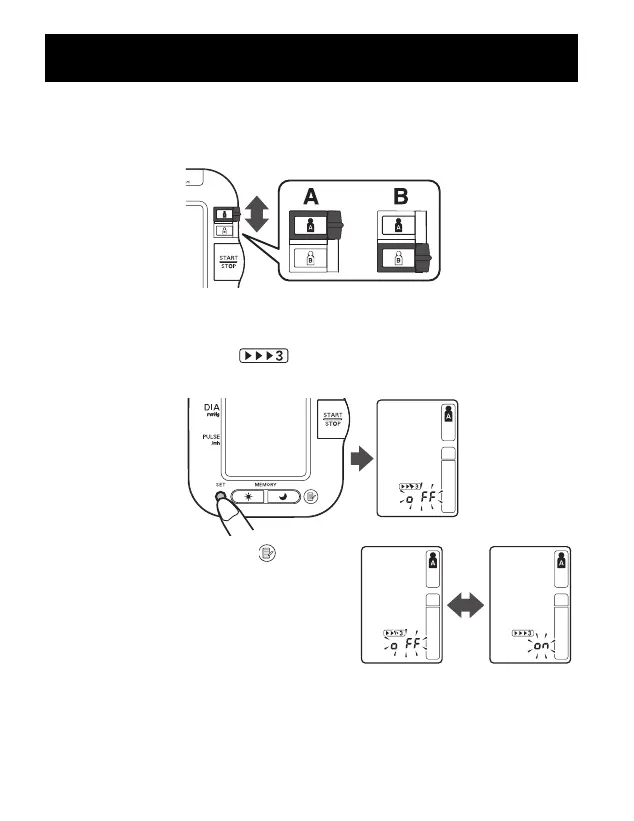
SELECTING THE TRUREAD
TM
MODE
1. Select your USER ID (A or B).
2. Press and hold the SET button.
The TruRead
TM
symbol and the oFF setting appears
on the display.
3. Press the Memory button ( )
to select on.
NOTE: Press the Memory button to
alternate between on and oFF.
TAKING A MEASUREMENT
29

262521 HEM-790IT Final_r2.qxd 11/17/06 7:19 PM Page 29

Table of Contents

Other manuals for Omron HEM-790IT

Related product manuals