60
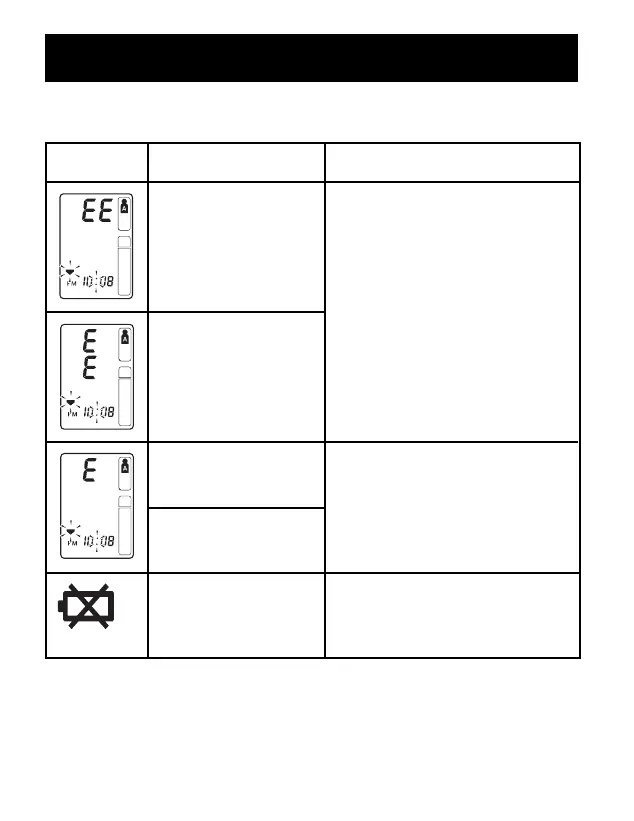
SYMBOL CAUSE CORRECTION
Cuff under-inflated.
Cuff not applied
correctly.
Single Mode
Remove the arm cuff. Read,
“Taking a Measurement”.
Take another measurement.
TruRead
TM
Mode
The monitor will repeat the
process up to 5 times.
Cuff over-inflated
Take another measurement and
remain still until the
measurement is complete.
Monitor could not
detect pulse wave.
Air plug is not
connected.
Batteries are worn
Replace the four batteries.
Refer to “Battery Installation.”
ERROR INDICATORS
ERROR INDICATORS AND TROUBLESHOOTING TIPS


 To Next Page