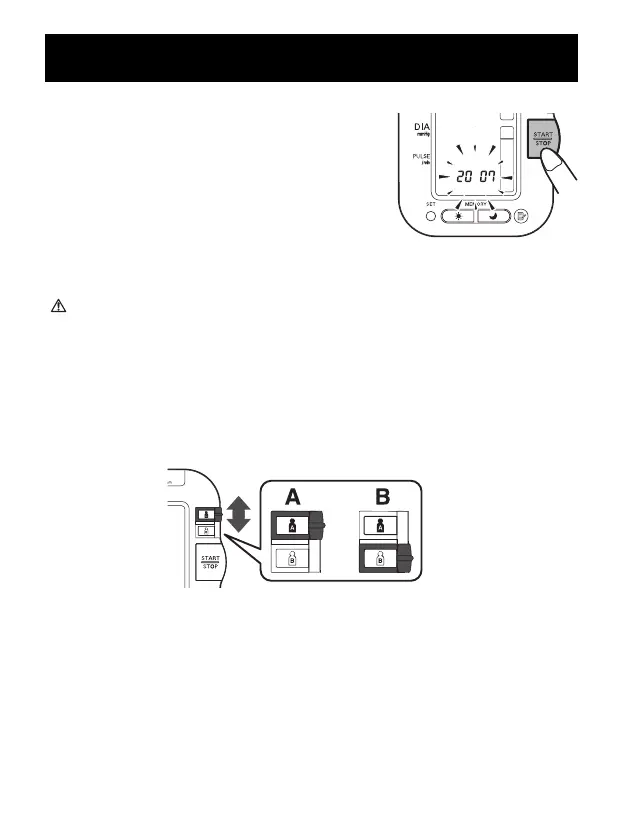
7. If the date and time are correct, press
the START/STOP button to turn the
monitor off.
To change the date and time refer to
page 19, SETTING THE DATE
AND TIME.
CAUTION
Do not use a cellular phone near the device. It may result in an
operational failure.
USING THE SINGLE MODE
1. Select your USER ID (A or B).
TAKING A MEASUREMENT
31


 To Next Page