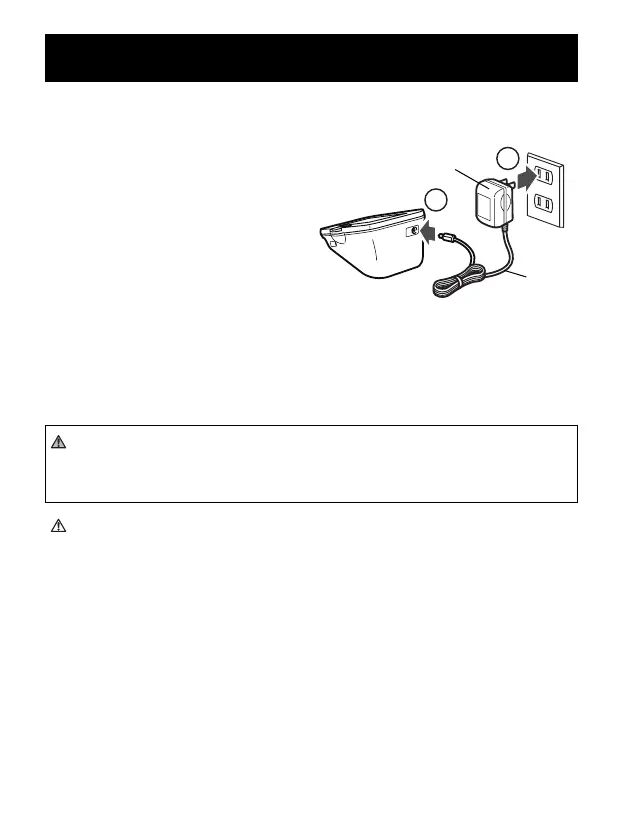
TO CONNECT THE AC ADAPTER
① Insert the AC Adapter Plug into
the AC Adapter Jack on the back
side of the monitor as illustrated.
② Plug the AC Adapter into a 120V
AC outlet (60 cycles).
TO DISCONNECT THE AC ADAPTER
① Hold the Housing to remove the AC Adapter from the electrical
outlet.
② Remove the AC Adapter plug from the monitor.
WARNING
Do not plug or unplug the power cord into the electrical outlet with
wet hands.
CAUTION
Do not overload power outlets. Plug the device into the appropriate
voltage outlet.
USING THE AC ADAPTER
18


 To Next Page