20
SETTING THE DATE AND TIME
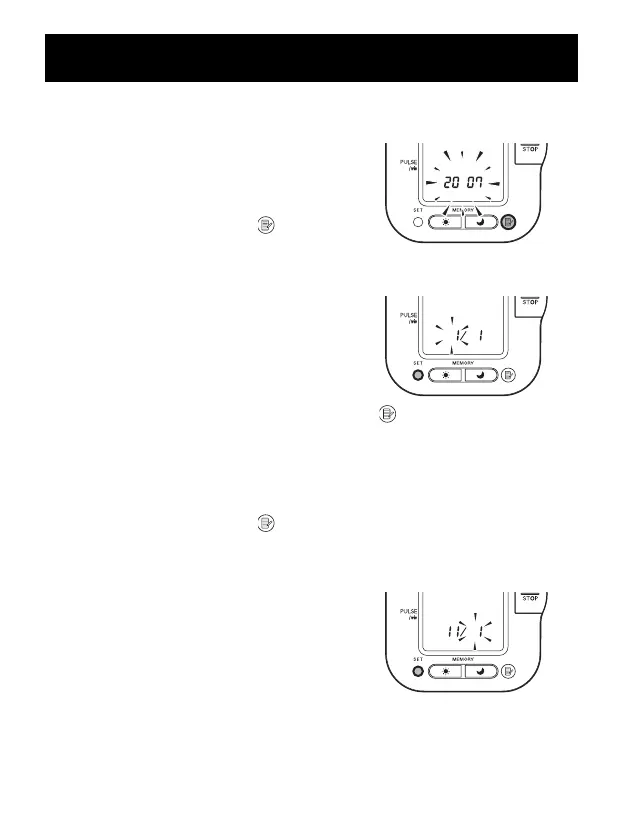
2. SETTING THE YEAR
The year can be set between 2007 and
2030. When the display reaches 2030,
it will return to 2007.
Press the Memory button ( ) to
advance by increments of one year.
Press the SET button to set the current
year.
The month flashes on the display.
NOTE: Press and hold the Memory button ( )
to advance the date and time values faster.
3. SETTING THE MONTH
Press the Memory button ( ) to advance by increments of one
month.
Press the SET button to set the current month.
The day flashes on the display.


 To Next Page