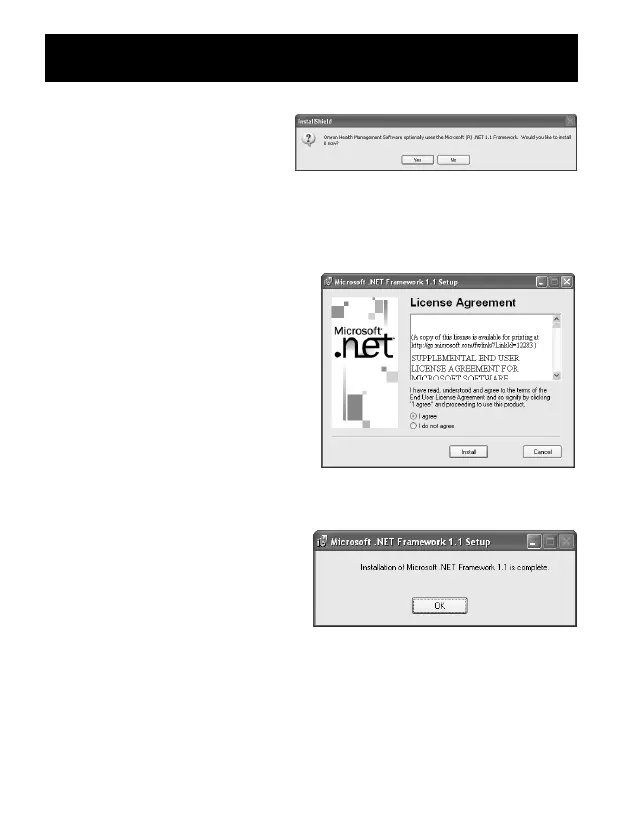
5. The installation screen of the
.NET Framework1.1 may
appear.
Click [Yes].
NOTE: If this screen does not appear, skip to Step 8.
6. Microsoft .NET Framework 1.1
License Agreement appears.
Read the License Agreement
thoroughly and if you agree with
it, select [I agree] and click
[Install].
NOTE: The program will not be
installed if you disagree
with the License
Agreement.
7. The dialog box appears that
informs the Microsoft .NET
Framework 1.1 installation is
complete.
Click [OK].
INSTALLING THE SOFTWARE
49


 To Next Page