54
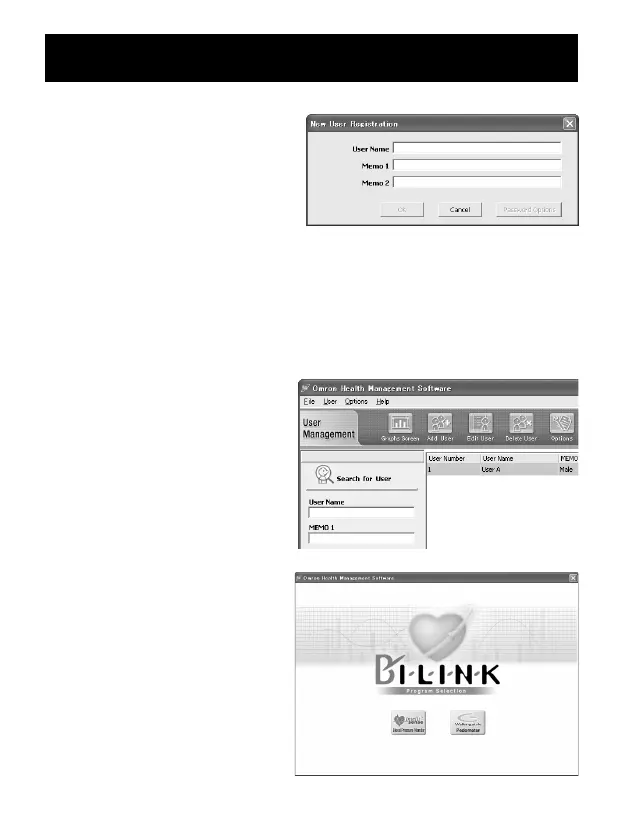
3. In the New User Registration
box, enter your name
(e.g., Chuck) and click [OK].
NOTES:
• Omron Health Management
Software can manage multiple users’ data. Data is controlled by user
name.
• The number of users who can register for this software varies
depending on the amount of free disc space in your PC.
• The user name can be up to 28 characters.
4. Click the user name, and click
[Graph Screen].
5. Click the [Blood Pressure
Monitor] icon.
USING THE SOFTWARE


 To Next Page