17
CHANGING THE DISPLAY
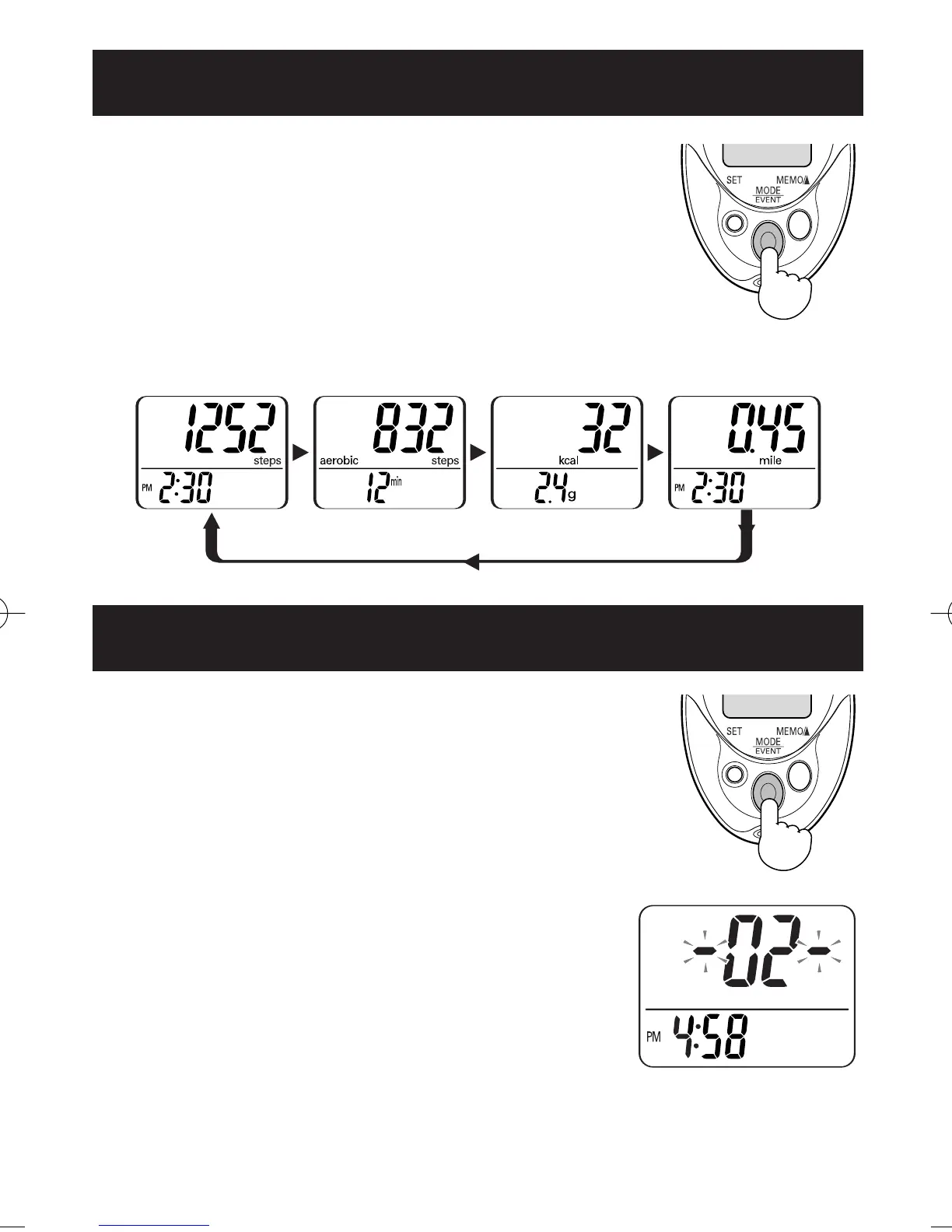
Press the MODE/EVENT Button
to change the display
Each time you press the MODE/EVENT Button,
the display will change.
Number of steps
Number of
aerobic steps
with minutes
Calories with
amount of fat
burned
Distance
Press the MODE/EVENT Button
for 2 seconds while current day’s data is
displayed.
The times of event in current day is displayed
for 2 seconds.
NOTES:
• Follow the direction by instructor or
service provider to use this function.
• Event can be recorded a once per hour.
• The unit does not display previous event data.
USING THE EVENT FUNCTION
HJ-720IT-IM.qxd 10/28/05 10:58 AM Page 17



 To Next Page