21
DOWNLOADING DATA TO A PC
Use only the authorized Omron USB cable sold separately, (Model
Number HHX-CABLE-USB2) with this pedometer. Use of any other
cable may cause damage to the pedometer and will void the user
warranty.
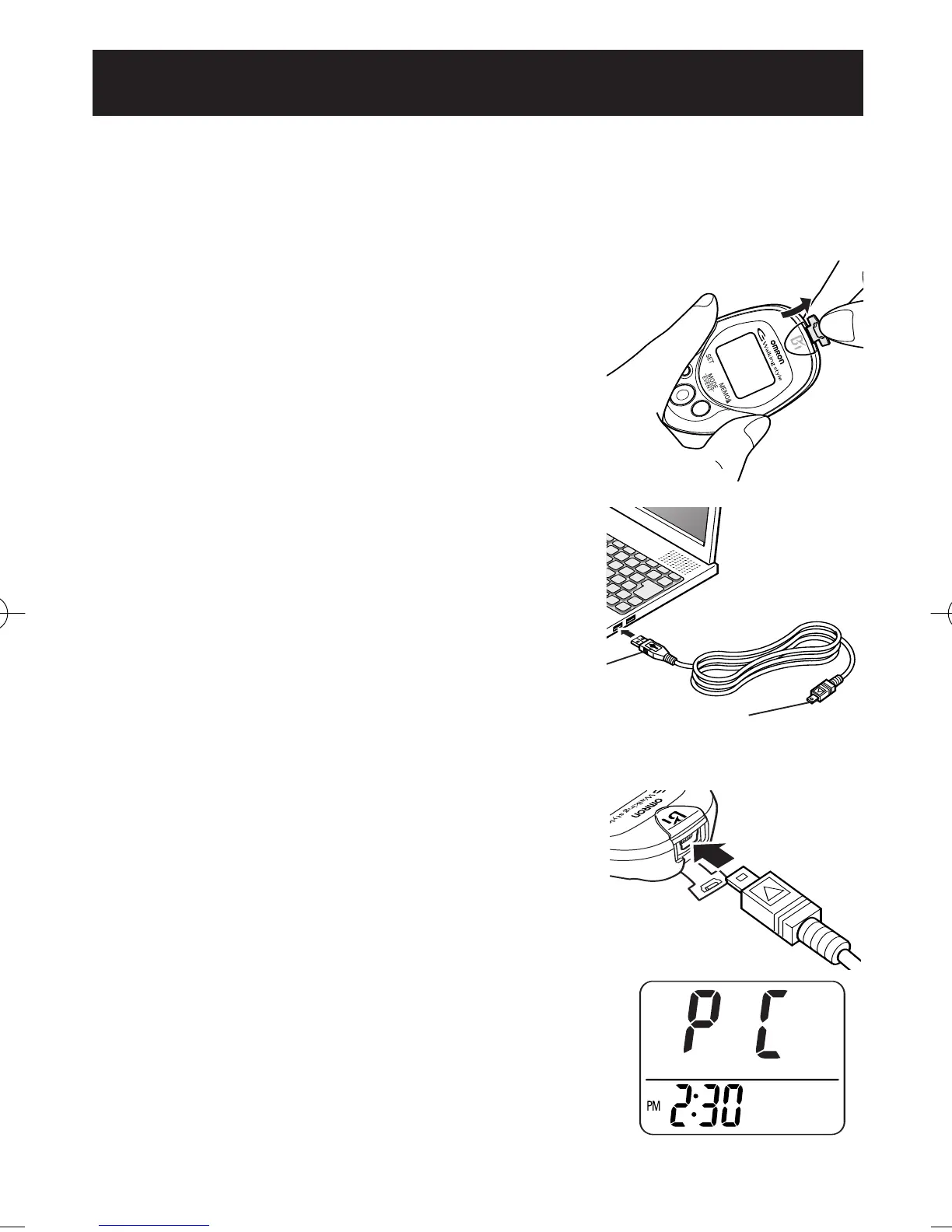
1. Open the USB Connector cover.
2. Plug the normal USB Connector (Large
Connector) into the personal computer.
3. Plug the mini USB connector (Small
Connector) into the USB connector.
“PC” will appear on the display when the
USB cable is connected correctly.
NOTE:
Follow the direction by instructor or service
provider to use this function.
(Optional accessory sold separately)
Normal USB Connector
Mini USB Connector
HJ-720IT-IM.qxd 10/28/05 10:58 AM Page 21



 To Next Page