18
USING THE MEMORY FUNCTION
This unit can store up to the previous 41 days and display the most
recent 7 days of data.
The current day’s data is automatically stored in memory when the
time reaches 12:00AM. The display will return to 0.
NOTE:
The time must be correctly set in the unit.
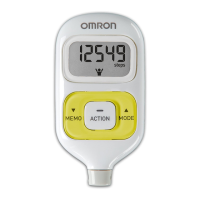
How to view data stored in the memory
Press the MODE/EVENT Button
until the data
you want to see is displayed:
Steps
Aerobic Steps with minutes
Calories with amount of fat burned
Distance
Press the MEMO/▲ Button. The previous day
data is displayed.
Continue to press the MEMO/
▲ Button until all
seven days of data is displayed.
NOTE:
If no button is pressed for more than
1 minute, the display will return to the
current day’s data.
Press the MODE/EVENT Button to return to
the current day’s data.
18
HJ-720IT-IM.qxd 10/28/05 10:58 AM Page 18



 To Next Page