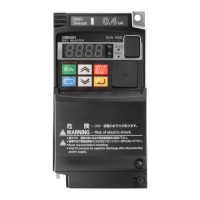
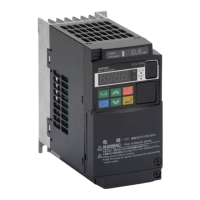
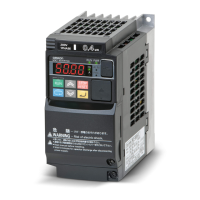
The Omron 3G3MX2 frequency inverter, also known as the MX2, is a versatile device designed for controlling spindle motors. This quick start guide provides essential information for its proper commissioning and initial operation, though a complete understanding of its features and safety instructions requires consulting the full MX2 operating manual. The device is intended for vertical wall mounting on a non-flammable surface, such as metal, ensuring adequate ventilation through specified mounting distances from other components.
Function Description
The 3G3MX2 frequency inverter employs Sinusoidal Pulse Width Modulation (PWM) control to regulate motor speed and torque. It supports various control methods, including V/f control (constant torque, reduced torque, free-V/F) with an adjustable base frequency from 30 Hz to 1000 Hz. Advanced control options include sensorless vector control and closed-loop control with motor encoder feedback, also with an adjustable base frequency range. The inverter offers a wide output frequency range from 0.1 to 1000 Hz, with high accuracy for both digital and analog commands.
The device is equipped with multiple input and output signals for comprehensive control. Frequency setting can be managed via the operator panel using Up and Down keys, external analog signals (0 to 10 VDC, 4 to 20 mA, or a potentiometer), or through network communication like RS485 ModBus RTU. For run/reverse commands, the operator panel's Run/Stop keys or external signals can be used, along with network options. The inverter features seven intelligent input terminals that can be configured as sink or source, and 68 functions are assignable to these inputs. Output signals include intelligent output terminals with 48 assignable functions, a monitor output (analog), and a pulse train output (0-10 Vdc, 32 kHz max). An alarm output contact provides a normally open or closed signal for inverter alarms.
The 3G3MX2 also incorporates protective functions. It has an overload capacity of 150% for 60 seconds in heavy-duty mode and 120% for 60 seconds in normal-duty mode. Starting torque can reach 200% at 0.5 Hz with sensorless vector control. Acceleration and deceleration times are adjustable from 0.01 to 3600 seconds, with linear and S-curve options.
Usage Features
The front panel keypad serves as the primary interface for programming parameters and monitoring operational values. It includes a 7-segment LED display, various indicator LEDs (POWER, ALARM, Program, RUN, Monitor Hz, Monitor A, RUN command), and control keys (RUN, STOP/RESET, CYCLE, Up, Down, SET). The POWER LED illuminates when the inverter is powered, while the ALARM LED indicates inverter trips. The Program LED lights up when displaying changeable parameters and blinks if there's a setting mismatch. The RUN LED indicates motor operation, and the Monitor LEDs show current-related data.
The keypad allows for intuitive navigation through function groups and parameters. The CYCLE key moves to the next function group, cancels settings, returns to function codes, or shifts the cursor in digit-to-digit setting mode. Pressing it for one second displays data for d001. The Up and Down keys increase or decrease data values, and pressing both simultaneously enables digit-to-digit editing. The SET key stores data, returns to the function code display, or moves the cursor to the right in digit-to-digit mode. The STOP/RESET key decelerates the inverter to a stop and resets it from a trip situation.
The inverter supports external communication via a mini-B USB connector for PC connection and an RJ45 port for a digital operator. It also features a Modbus-RTU termination resistor selector switch and safety function selector switches for enhanced control and safety.
Maintenance Features
The 3G3MX2 includes several features for maintenance and troubleshooting. The charge indicator LED (CHARGE) indicates if the DC voltage of the main circuit is above approximately 45 V after power cut-off, serving as a safety reminder before wiring.
In the event of a fault, the inverter automatically displays an error code on the 7-segment LED display, along with an inverter status at the trip point. The manual provides a comprehensive list of error codes (e.g., E01 for over-current, E07 for over-voltage, E08 for EEPROM error, E11 for CPU error, E35 for thermistor issues, E80 for encoder disconnection) and their corresponding causes. This allows for quick identification and resolution of operational problems.
For instance, an E05 (Motor overload protection) error indicates that the electronic thermal function has detected a motor overload, prompting checks of thermal model parameters and acceleration rates. An E06 (Braking resistor overload protection) error occurs if the braking resistor operation rate exceeds its set limit.
The inverter can be reset to its original factory/default settings through a specific procedure involving parameters b084, b094, b085, and b180. This feature is useful for restoring the device to a known state for re-commissioning or after extensive parameter changes. It allows for selecting different initialization target data, such as clearing only the trip monitor, initializing all parameters, or excluding specific input/output terminal and communication settings. The ability to select a country code (JPN or EUR) during initialization ensures regional compatibility.
The quick start guide emphasizes that errors should not be acknowledged until the cause is found to prevent further damage, recommending contact with SPINOGY if the cause remains elusive. Pressing the STOP/RESET key can acknowledge an error and reset the frequency inverter to its initial state.


 To Next Page
 General