EasyManua.ls Logo

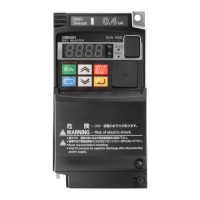
Omron 3G3MX2 - User Manual

Omron 3G3MX2
440 pages
Print Icon
To Next Page IconTo Next Page
Loading...
Cat. No. I570-E1-02
USER’S MANUAL
SYSDRIVE MX2
SERIES
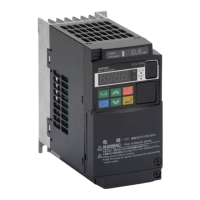
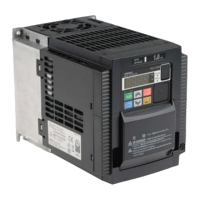
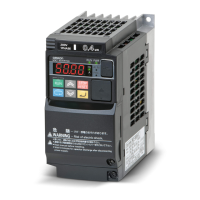
Multi-function Compact Inverter

Table of Contents

Other manuals for Omron 3G3MX2

Questions and Answers

  • J
    James OlsonAug 15, 2025
    What to do if my Omron 3G3MX2 Inverter has tripped (ALARM LED is lit and "Exxx" is shown)?
    • C
      caitlyn63Aug 16, 2025
      If the Omron Inverter trips and the ALARM LED is lit with an error code (Exxx) displayed, press the STOP/RESET key to reset it. Identify the cause of the trip based on the error code and resolve it before restarting the operation.
  • S
    smithjulieAug 19, 2025
    Why does an Overcurrent Trip (E03) occur during Omron 3G3MX2 Inverter operation?
    • J
      James HarrisAug 19, 2025
      If an Overcurrent Trip (E03) occurs during the Omron Inverter's operation, it could be due to the acceleration time being too short or an excessive load. Try extending the Acceleration Time (F002/F202/ A092/A292) or reducing the load.
  • R
    Ricky WilliamsAug 22, 2025
    What to do if Omron Inverter motor does not turn after a RUN command is issued?
    • C
      Carrie GarciaAug 22, 2025
      If the Omron Inverter motor does not turn after issuing a RUN command, the Rotation Direction Limit Selection (b035) might be set incorrectly, prohibiting forward or reverse rotation. Correct the setting for Rotation Direction Limit Selection (b035). Also, ensure the input terminal wiring for the RUN command or shorting-bar connection position is correct. Check the ON/OFF status of the input terminal with the Multi-function Input Monitor (d005). Finally, verify that the analog input for frequency reference or Variable Resistor wiring is correct by measuring the FV-SC terminal voltage or source-FI terminal current with a tester.
  • M
    michele37Aug 25, 2025
    How to unlock parameters on Omron 3G3MX2 Inverter?
    • R
      Ryan DavisAug 26, 2025
      If parameters cannot be changed on the Omron Inverter, stop the Inverter and wait for the motor to fully decelerate before attempting to set them again. Alternatively, you can set the mode to "Data can be changed during RUN" (b031 = 10) to allow some parameters to be changed during operation. Also, ensure that Soft Lock Selection (b031) is disabled.
  • J
    John PeckAug 28, 2025
    Why does my Omron Inverter motor turn in reverse?
    • A
      Anna ChavezAug 28, 2025
      If the Omron Inverter motor turns in reverse, the phase order of the motor wiring is likely incorrect. Reverse two of the wires connected to U/T1, V/T2, and W/T3, or adjust the motor phases to the correct order.
  • J
    Joshua PearsonAug 31, 2025
    How to fix Omron Inverter when the power does not turn on?
    • P
      Pamela DicksonAug 31, 2025
      If the Omron Inverter power does not turn on and the main POWER LED indicator is not lit, check if the shorting bar between terminals +1 and P/+2 or the DC reactor is disconnected and connect it. Also, check the input wire to ensure it is properly connected.
  • K
    Kathryn MartinSep 3, 2025
    What to do if Omron Inverter Digital Operator keys do not work?
    • W
      wbartonSep 3, 2025
      If the digital operator keys on the Omron Inverter do not work, it is possible that "86: DISP (Display fixed)" is allocated to a multi-function input terminal and that terminal is turned ON. Turn OFF the terminal to which this function is allocated.
  • A
    apatrickSep 5, 2025
    Why does the earth leakage breaker trip when operating Omron 3G3MX2?
    • C
      Cassandra BaldwinSep 6, 2025
      If the Omron Inverter leak current is large and causing the earth leakage breaker to trip, decrease the Carrier Frequency (b083).
  • A
    Ashley JenkinsSep 8, 2025
    How to reduce noise from Omron Inverter motor?
    • D
      Danielle McclureSep 8, 2025
      If the motor or machine connected to the Omron Inverter is loud, the carrier frequency might be low. Increase the Carrier Frequency (b083); however, be aware that this may increase noise or leakage current from the Inverter.
  • C
    colemankristinaSep 12, 2025
    Why is the output frequency unstable on my Omron 3G3MX2?
    • L
      Luis DavenportSep 12, 2025
      If the output frequency of the Omron Inverter becomes unstable, shift the output frequency slightly away from the power supply frequency, as various parameters might not be appropriate.

Summary

Introduction

Safety Precautions

Crucial safety guidelines and warnings for inverter operation.

Design

Installation

Guidelines and precautions for physically installing the inverter.

Wiring

Instructions and diagrams for connecting power and control circuits.

Operation

Operation Method

How to operate the inverter using commands and references.

Test Run

Procedures for performing an initial operational test of the inverter.

Parameter List

Function Mode

Lists and describes various inverter functions and their parameters.

Functions

Basic Functions

Explanation of fundamental inverter operations like RUN command and acceleration.

Safety Function

Configuration and wiring for the inverter's safety stop functionality.

Maintenance Operations

Troubleshooting

Guidance for diagnosing and resolving common inverter operational issues.

Specifications

Standard Specification List

Technical specifications for various inverter models and ratings.

Appendix

Appendix-4 Notes on Compliance with EC Directives and UL;cUL Standards

Information on regulatory compliance for EMC and safety standards.

Omron 3G3MX2 Specifications

General IconGeneral
Model/Series3G3MX2
Category/TypeInverter
Input Frequency50/60 Hz
Capacity/Power Range0.1 kW to 15 kW
Output Frequency Range0.1 to 400 Hz
Overload Capacity150% for 60 seconds
Cooling MethodFan cooling
Control MethodV/f Control, Sensorless Vector Control
Protection Functions/FeaturesOvercurrent, Overvoltage, Undervoltage, Overheat
Communication OptionsModbus RS-485
Braking UnitBuilt-in (for certain models), Optional external unit
Voltage Class/Input VoltageSingle-phase 200 V, Three-phase 200 V, Three-phase 400 V

Related product manuals