En-19
Playing CDs
1
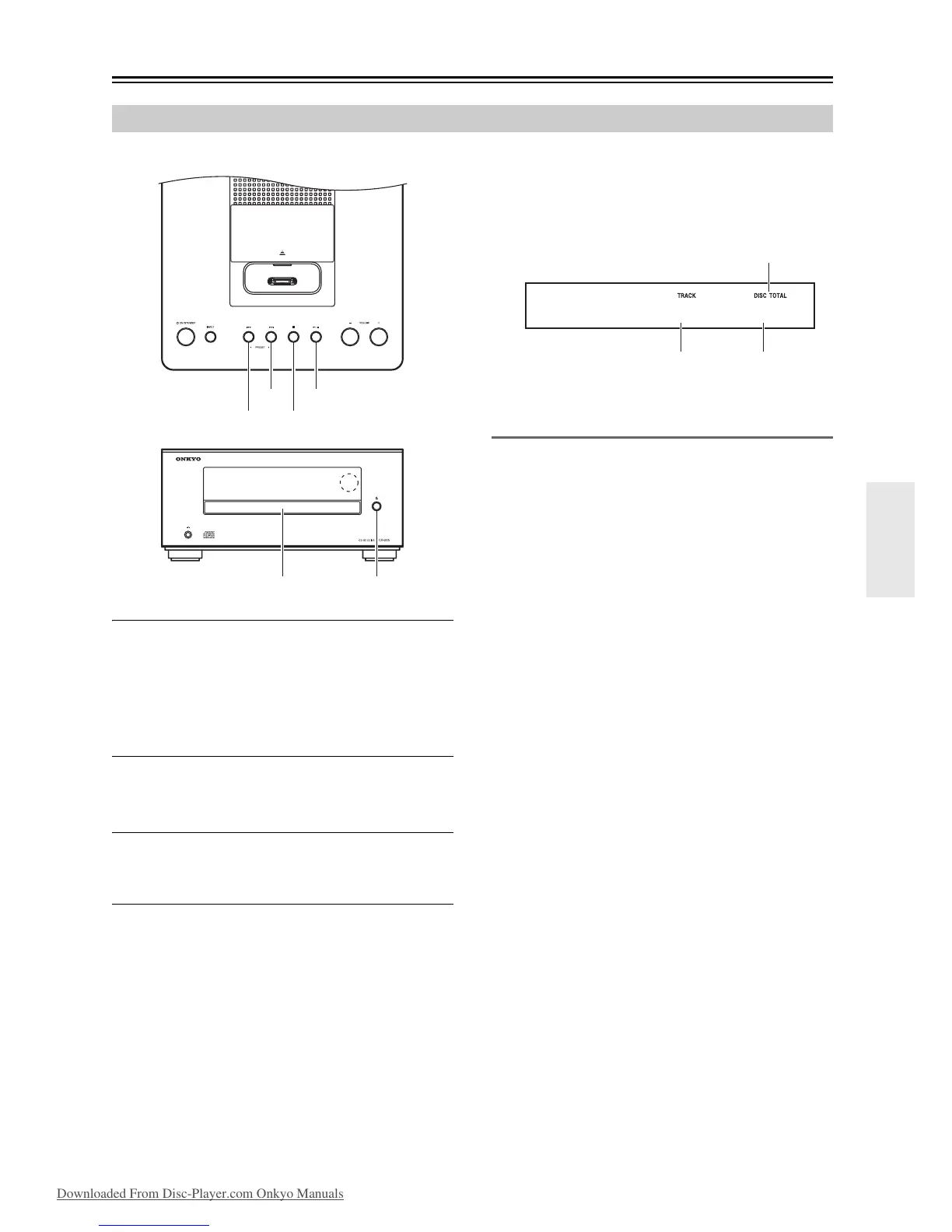
Press the [] button to open the disc tray.
Tip:
• Pressing the [] button while the CD receiver is on
Standby will turn on the CD receiver and open the disc
tray.
2
Place the CD on the tray with the label-side
facing up.
Place 8 cm CDs in the center of the tray.
3
To start playback, press the [/] button.
The disc tray closes and playback starts.
Then the “” indicator appears.
To stop playback:
Press the [] button.
Playback stops automatically when the last track has
been played.
To pause playback:
Press the [/] button. The Pause “” indicator
appears. To resume playback, press the [/] button
again.
To remove the CD:
Press the [] button to open the disc tray.
■ Information Displayed When Playback is
Stopped:
Selecting Tracks
To return to the beginning of the track currently playing,
press the Previous [] button.
Press the Previous [] button repeatedly to select
earlier tracks.
Press the Next [] button repeatedly to select
subsequent tracks.
Note:
• Operation using the remote controller is explained on
the next page.
Using the CD receiver


 To Next Page
 Loading...