Should the encoder values deviate in reverse, you have the option to invert the
telescope encoder(s) under the “Encoder” tab. For detailed instructions, please refer to
Section 7.
7 Using Browser to Configure and Control the
Controller
After completing the mechanical configuration of the motors, ensuring the controller,
power supply, handpad, and motors are all connected, and setting up the telescope
encoders (if utilized) with proper cabling, it's time to update the controller with vital
information about your mount via a web browser.
Connect to the OnStep Ad-Hoc WiFi network.
Navigate to http://192.168.0.1 in your browser.
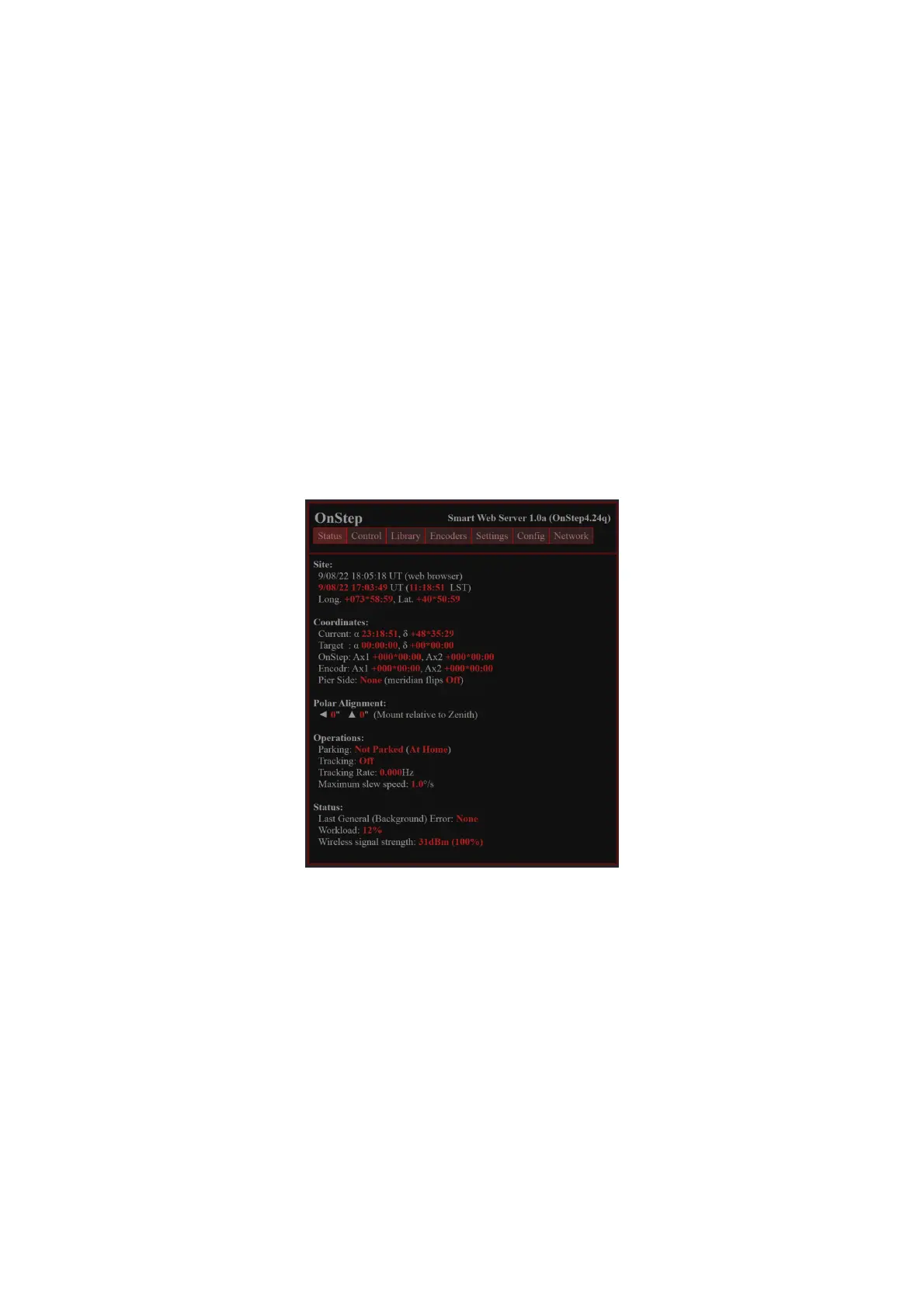
Upon access, the first screen will present the status of the scope:
You can control the scope under the “Control” tab:
21


 To Next Page