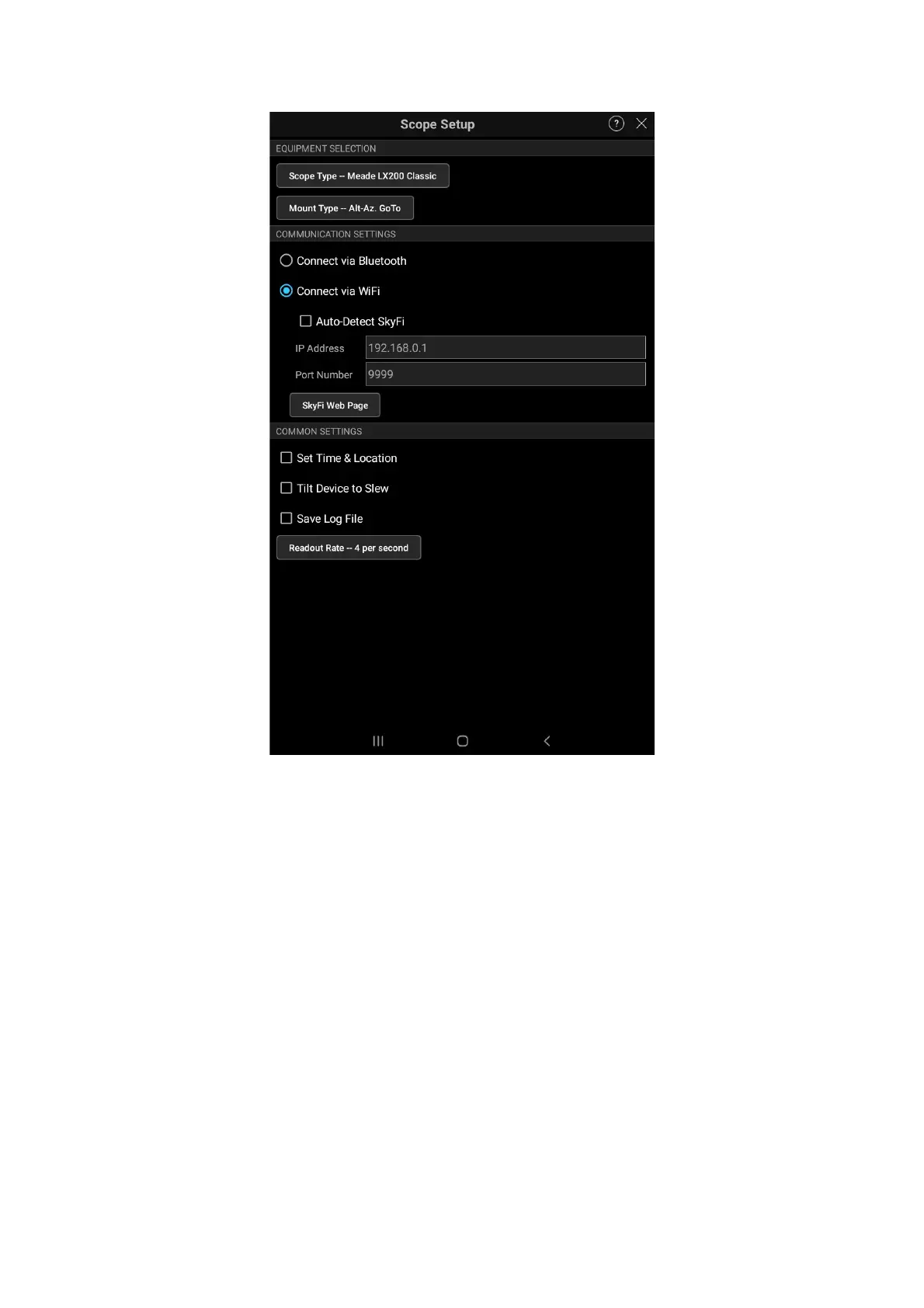
Make sure to uncheck the “Auto-Detect Skyfi” and “Set Time & Location”
For the detailed instruction on Sky Safari Plus/Pro instruction, please refer to:
https://skysafariastronomy.com/support/manual/manual.shtml
10 Quick Operation Guide on Stellarium
Stellarium is available on all popular platforms (Linux, macOS, MS Windows, iOS,
and Android). You will need to use Stellarium Mobile Plus (the paid version) on iOS
and Android devices.
On Linux, you will need to use INDI driver to connect to the OnStep
controoler at IP address 192.168.0.1, and port 9998.
On the Windows platform, you can simply connect the Stellarium via
Bluetooth. You can also connect Stellarium via ASCOM driver over the
Bluetooth or the USB port.
35


 To Next Page