72
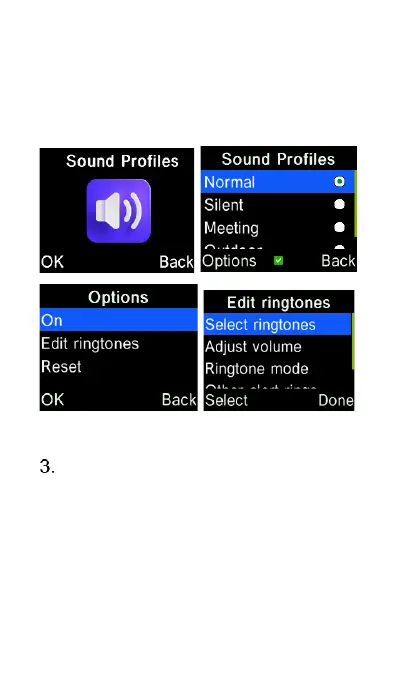
and then select Edit ringtones to edit the
settings of highlighted sound profile.
You can access Sound Profiles via the
main menu or via the Settings menu.
Select ringtones – Change ringtone
of voice calls and alert tone of
incoming messages. Press Select
on either ringtone or message tone,
then highlight the tone you wish to
choose then press the “OK” key to
save.















 To Next Page