24
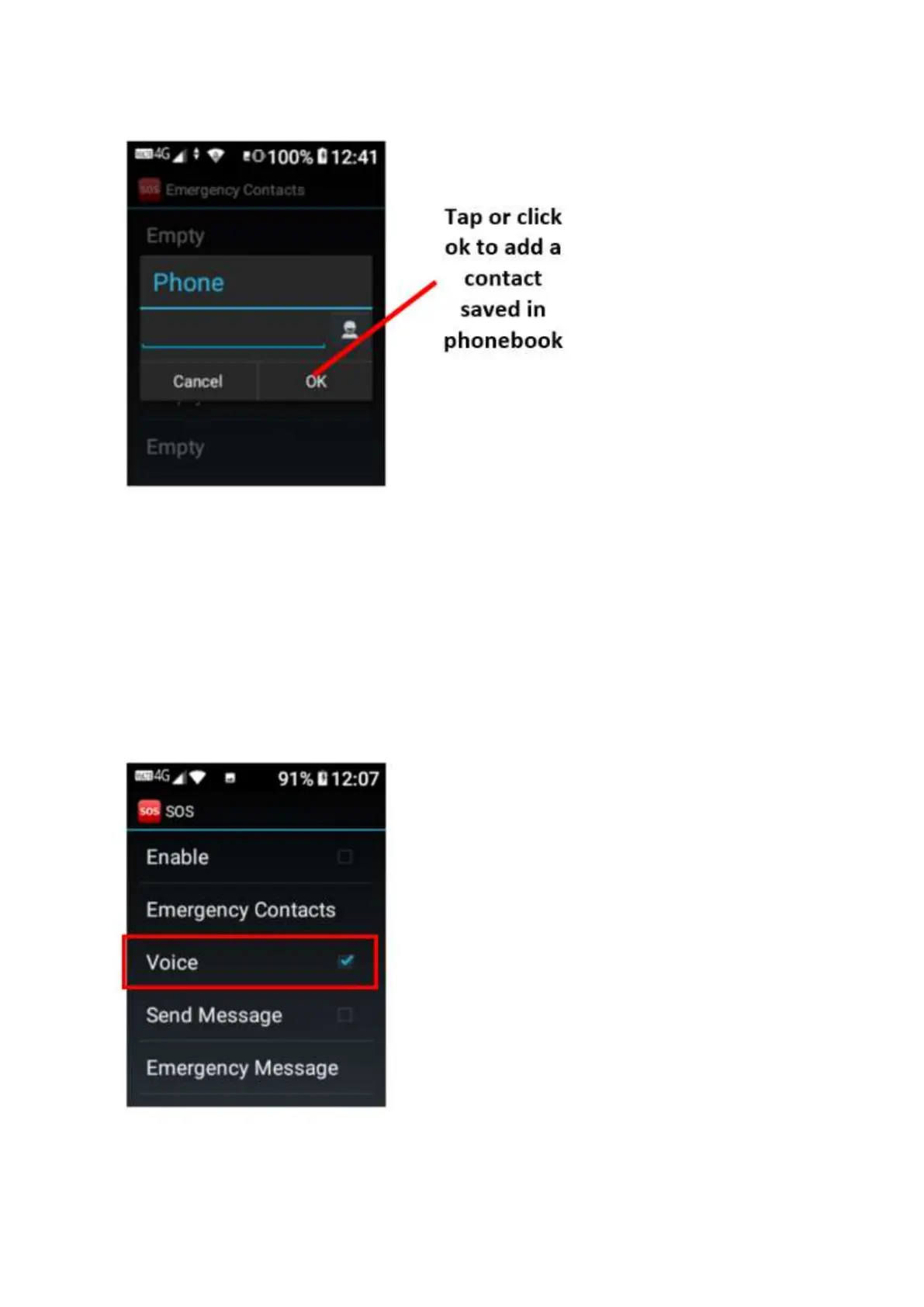
5. Then type in the contacts phone number, or you can tap or click ok on the phonebook icon
to add a contact already saved in your phonebook
6. Once added tap on the ok button on the screen to save. Or scroll down to ok on the screen
to save.
7. Follow the same process to add all your emergency contacts.
8. Once complete click on the back key to go back to SOS settings.
9. Scroll down to voice, this setting is default on. You can turn this off by taping on voice or
clicking ok to turn it off. This function is your alert sound when you activate SOS in an
emergency.















 To Next Page