INSTALLATION
10
Connecting to a Display
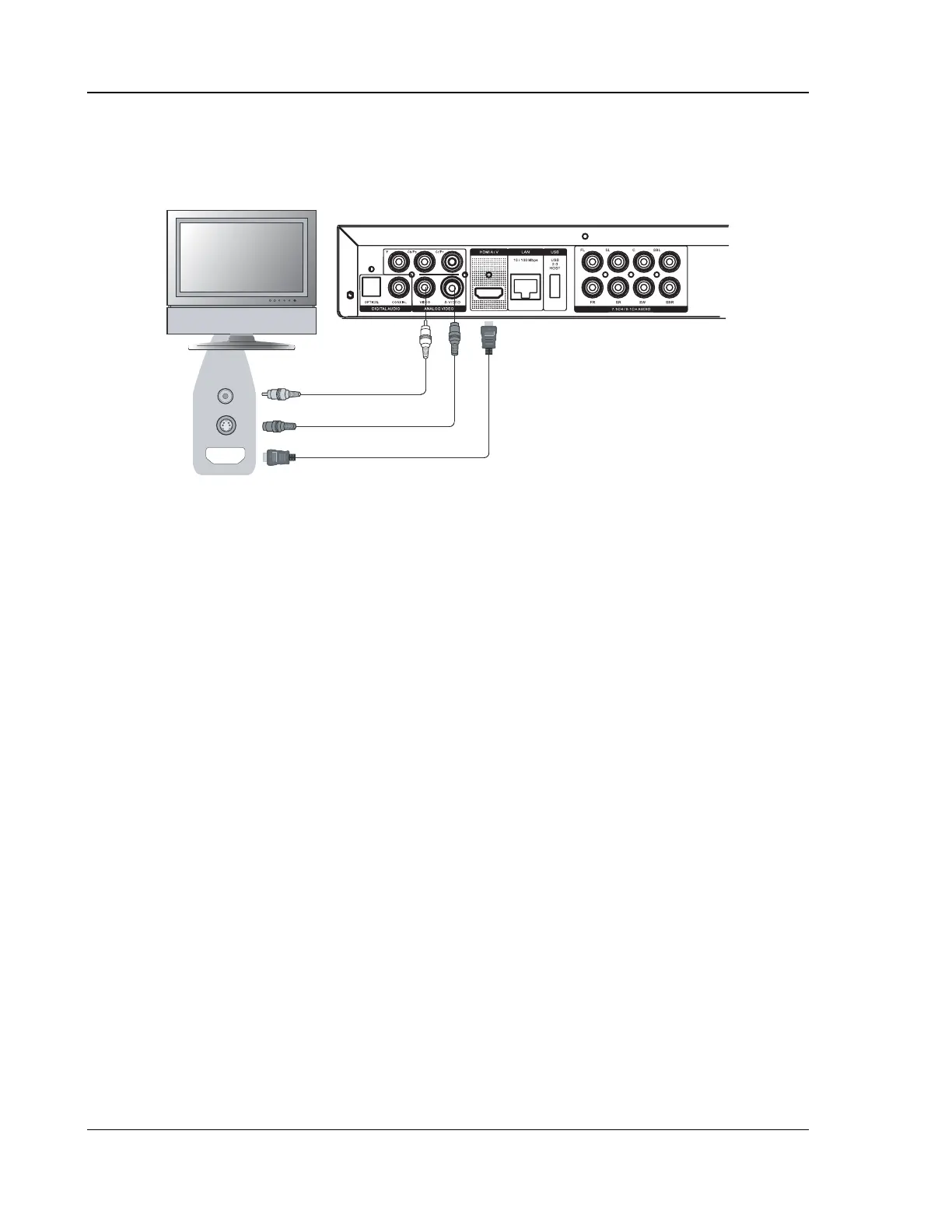
HDMI Connection
Rear Panel
Composite Video Cable (Optional)
S-Video Cable (Optional)
HDMI Cable
Video In
S-Video
HDMI In
Method 1 – HDMI Connection Directly to TV
• If your TV has an HDMI (High-Definition Multimedia Interface) input, you can use the included
HDMI cable to connect the player to the TV. This connection method delivers both video and
audio in a pure digital format via a single cable. The HDMI video output of the player allows for
the highest possible video quality and resolution.
• You may connect the composite video or S-Video cable to the TV for troubleshooting purposes,
just in case there is a problem with HDMI. However it is not recommended to use the
composite video or S-Video as the primary method of video delivery to the TV, because it only
produces a standard definition video signal and forfeits the advantage of high definition video.



 To Next Page