15
Devices
Overview
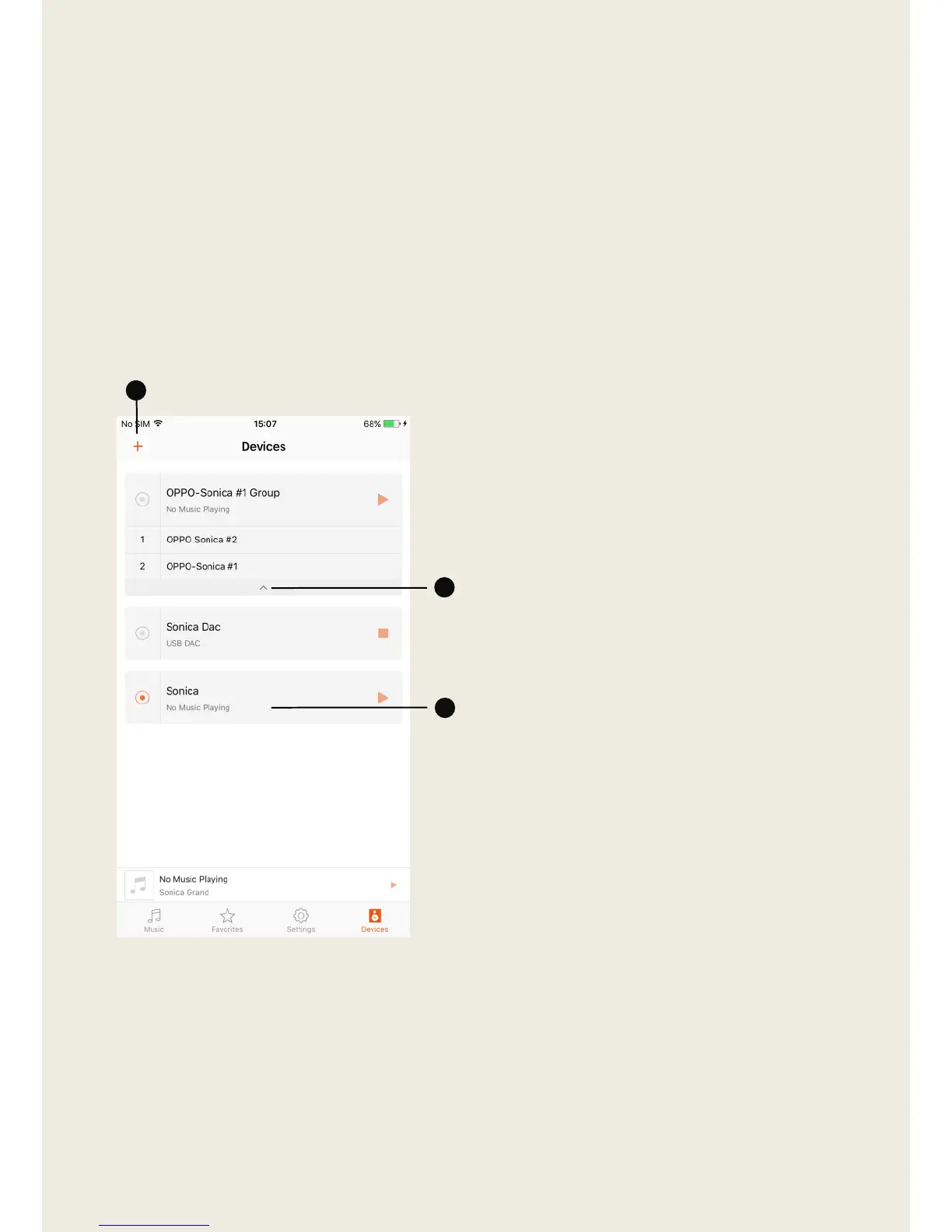
The “Devices” page will display a list of Sonica devices that have been
successfully configured, and will show whether they are currently operating
as an individual device or as a group of devices.
1. Tap the “+” to add additional
devices to the system, check the
stereo pair settings, or stop all
devices from playing.
2. The name of each Sonica device
and stereo pair will appear as an
individual device in the list,
while device groups will be
listed by group name. To see
what devices make up a
particular group, tap the arrow
icon located below the group
name.
3. Tapping on the name of a device
or group will allow you to enter
the “Device Grouping” menu,
“Rename” the device or group,
or enter the “Create Stereo
Pair” menu.


 To Next Page