52
Upgrading the Devices
Firmware is the system software that controls the features and functions of
your Sonica devices. When you open the Sonica app, it will automatically
prompt you to upgrade when a new version of the firmware is available. To
ensure the best user experience, we strongly encourage you to upgrade to
the latest firmware version when available.
There are two ways to upgrade the device’s firmware:
1. Via Network – Sonica will automatically download and install firmware
updates from the internet after you confirm the upgrade.
2. Via USB – You can download the firmware files from the OPPO Digital
website to a USB drive to upgrade your Sonica. Please follow the
instructions on the firmware download web page.
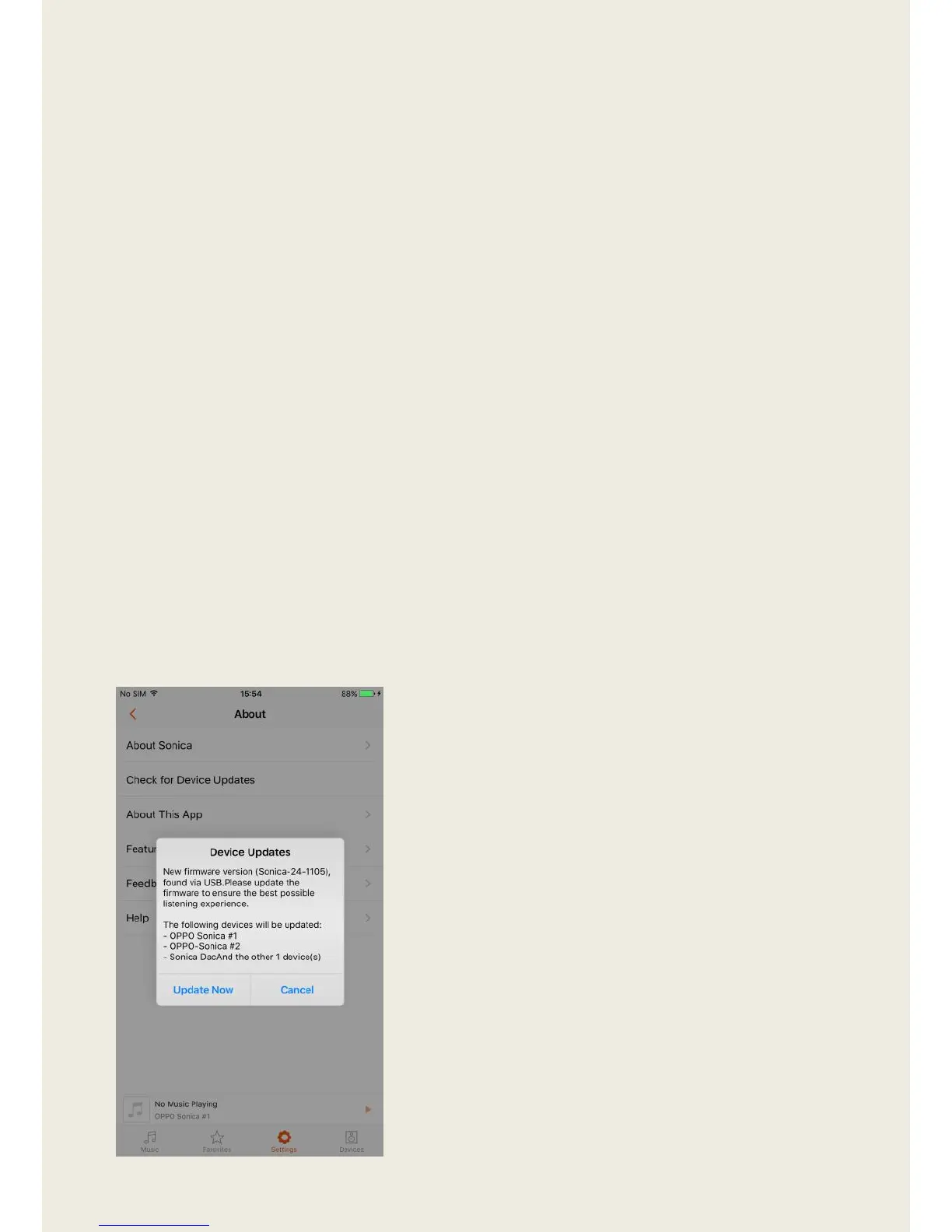
Enter “About” – “Check For Speaker Updates”, and the system will
automatically detect new firmware on the network or flash drive and prompt
you to upgrade.


 To Next Page