25
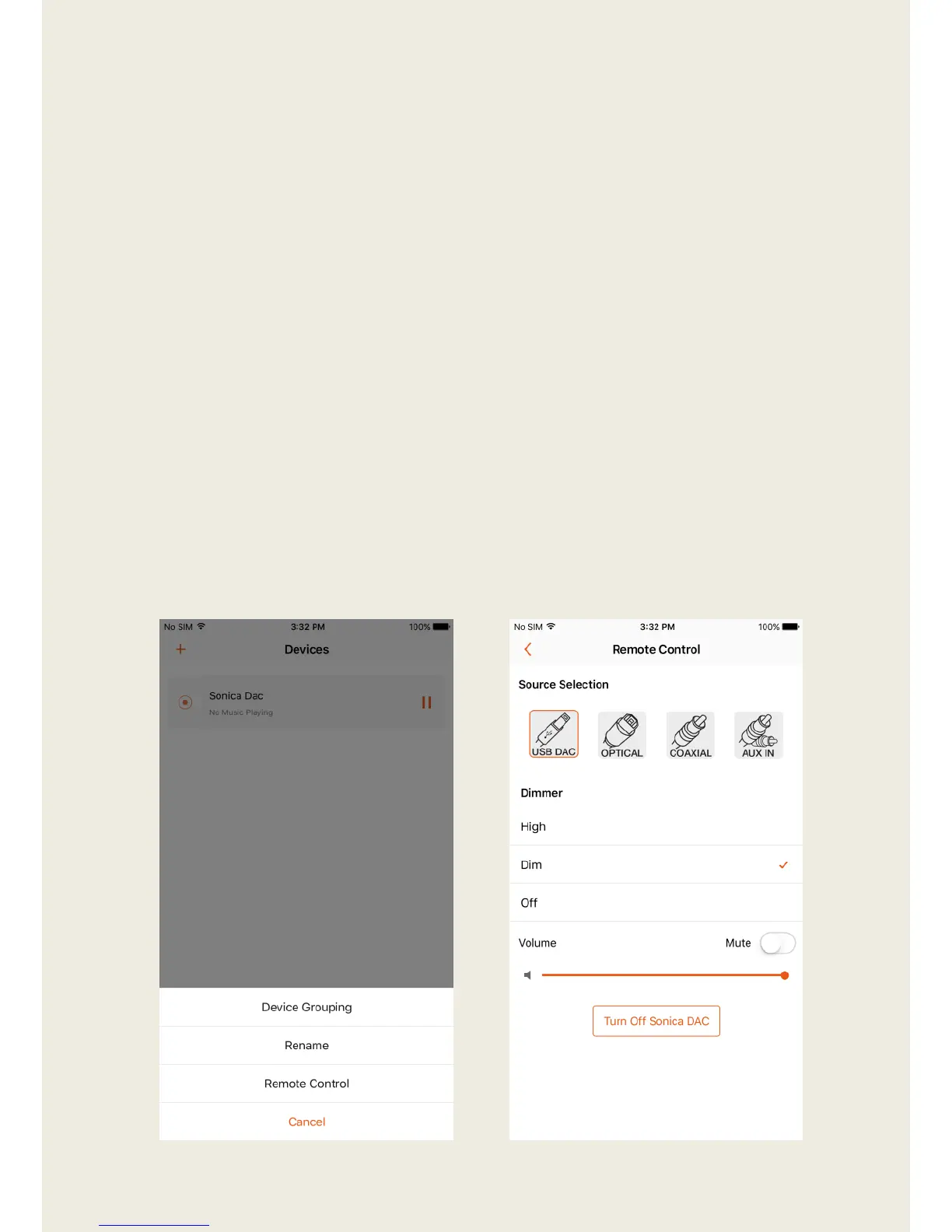
Remote Control (Sonica DAC only)
1. Tap on the bar that shows the Sonica DAC’s name and select “Remote
Control”.
2. The Remote Control interface provides the following functionality:
1) Tap on the source icon (USB DAC, OPTICAL, COAXIAL or AUX IN) in
the Source Selection section to select which source you want to
listen to.
2) Tap on the option bar (High, Dim, or Off) in the Dimmer section to
control the display intensity of the front panel Vacuum Fluorescent
Display (VFD) information window.
3) In the Volume section, tap on the Mute switch to enable or disable
volume mute, and drag the slider of the volume progress bar to
control the output volume.
4) Tap on the Turn Off Sonica DAC button to turn off the current
Sonica DAC.


 To Next Page