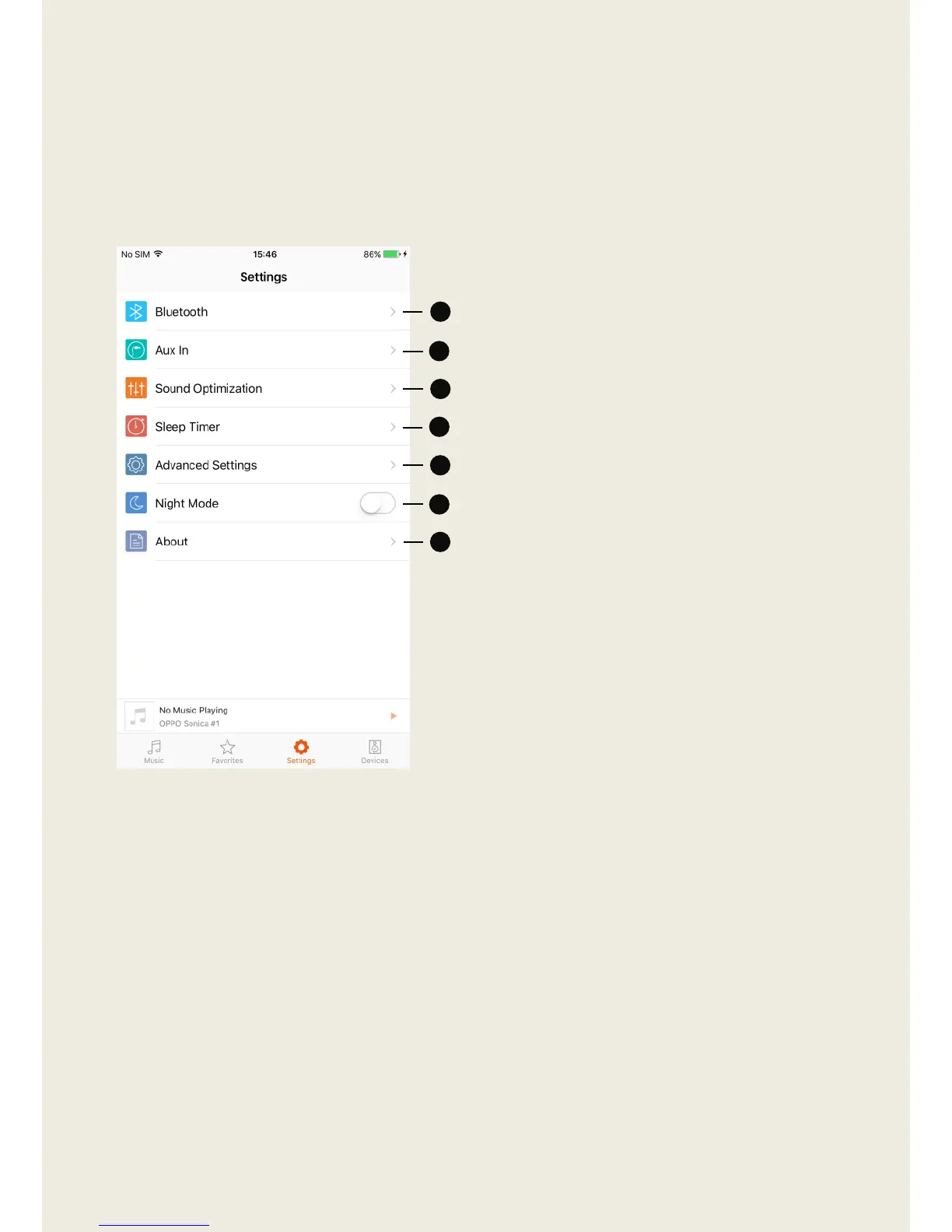
1. Bluetooth – Toggle Bluetooth.
2. Aux In – Adjust the settings for
Auxiliary playback.
3. Sound Optimization – Select
presets for different rooms and
speaker positions.
4. Sleep Timer – Set up a timer to
stop playback after a certain
amount of time.
5. Advanced Settings – Adjust
speaker lights and reset all
Sonica devices.
6. Night Mode – Change the
background color within the
app to black or white.
7. About – Find version
information about the app and
update the firmware versions
for Sonica devices and the app.


 To Next Page