36
Group Volume Control
In the Sonica app, you can adjust the volume by pressing the volume buttons
on your mobile device or adjusting the volume bar in the “Now Playing
Panel”. There is an arrow icon on the right side of the volume bar.
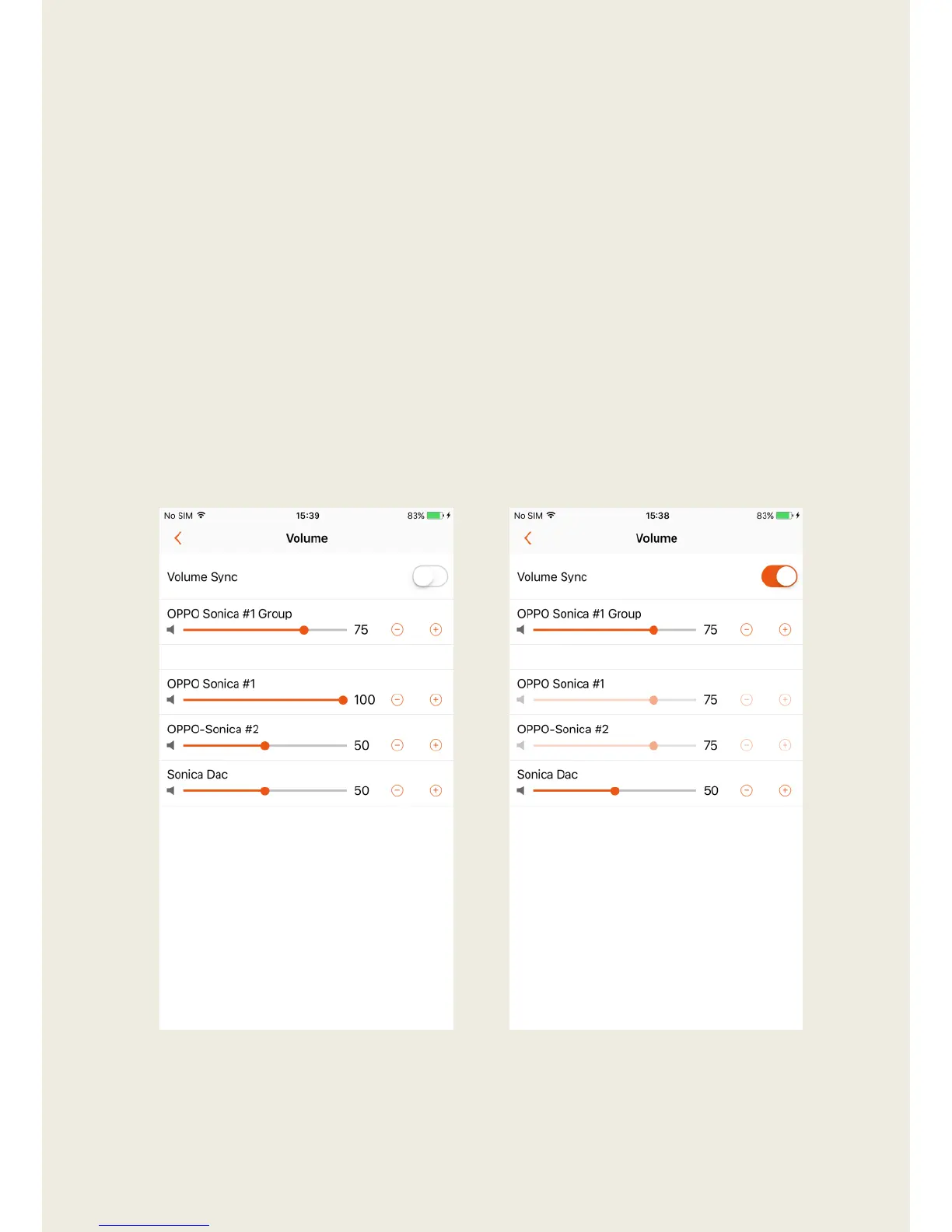
1. Tapping the arrow icon will take you to a page that allows you to control
the volume of each speaker in the group individually, or synchronize
them all to the same volume level by tapping the “Volume Sync” switch.
2. Use “+” and “-“ to precisely adjust the volume.
3. The volume of Sonica DAC is individually controlled and will not be
affected by the Volume Sync switch.


 To Next Page