20
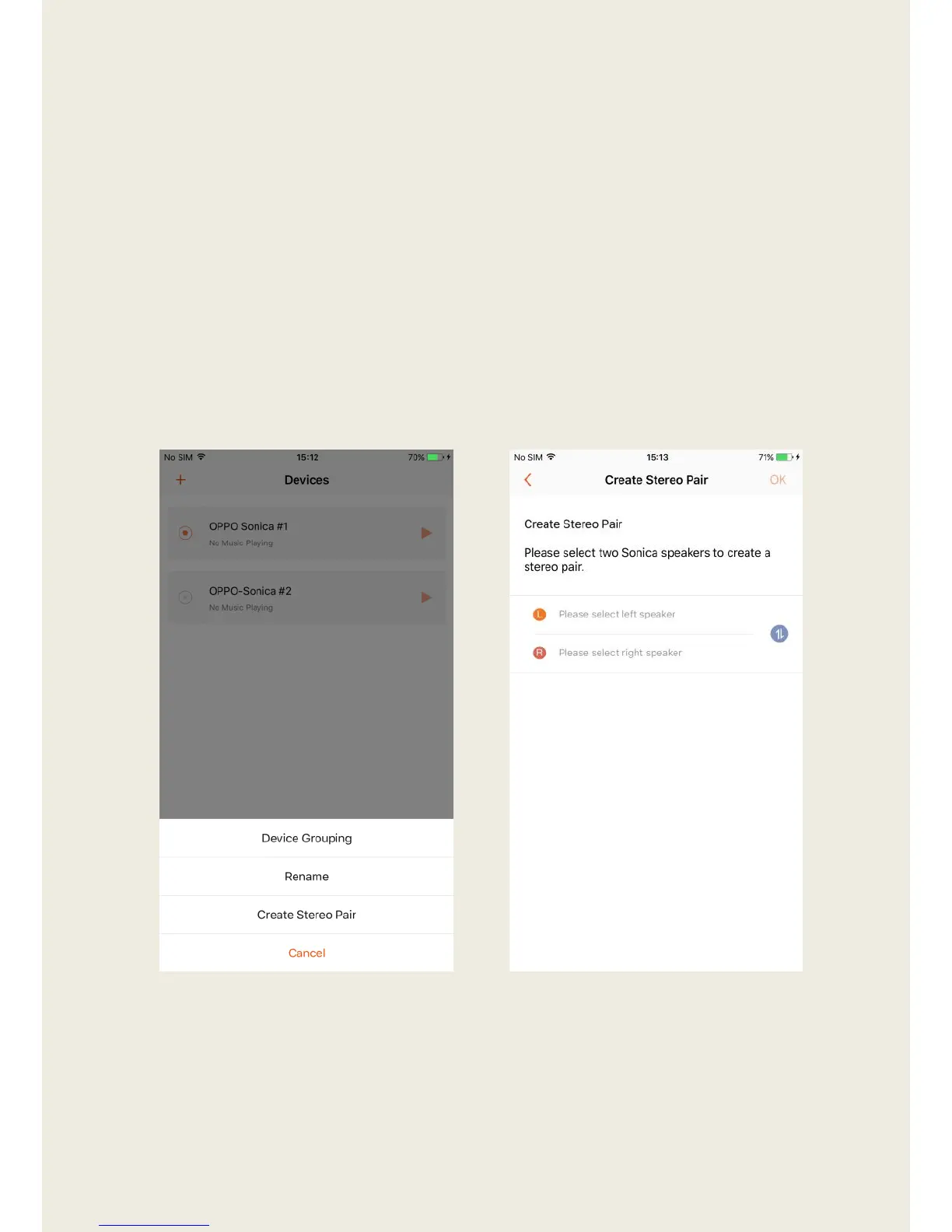
Creating a Stereo Pair (Same model speakers only)
1. Tap on the bar that shows a device name and select “Create Stereo
Pair”.
2. Tap on the left speaker entry field to display a list of speakers that are
available to be configured in a stereo pair, and then choose a speaker
from the list. Complete the same steps for the right speaker to designate
the stereo pair. If necessary, you can quickly swap the left and right
speakers by tapping the “Switch” icon to the right of the speaker
selection.


 To Next Page