29
Play Music from Your Mobile Device
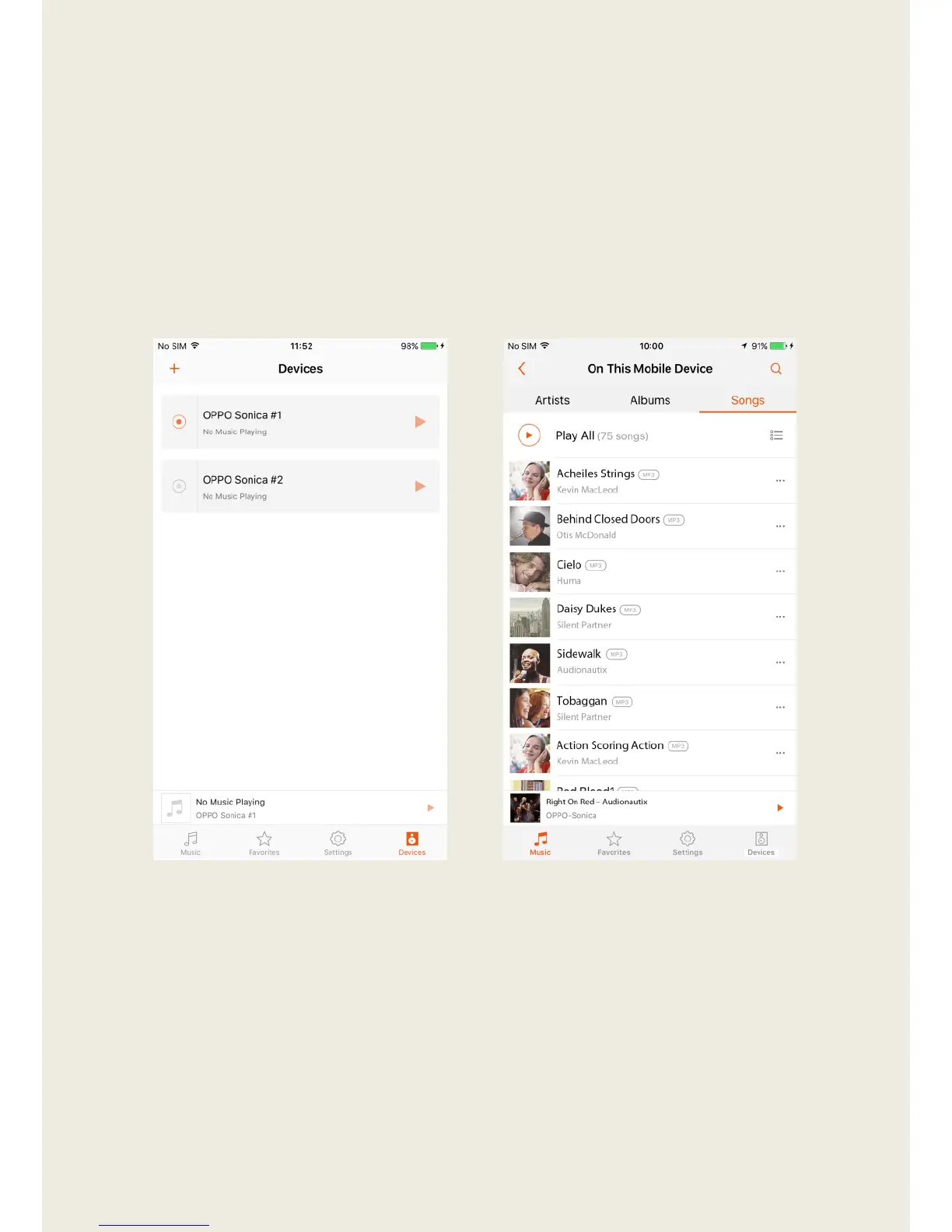
1. Launch the Sonica app and tap “Devices”. Select your desired device or
group by tapping the dot to the left of the speaker name.
2. Tap “Music” and select “On This Mobile Device”. All songs are sorted
either by Artist or Album, or you can browse each individual song under
Songs. Tap on a song to begin playback.


 To Next Page